Artificially Intelligent Chatbot
This guide explains what artificially intelligent chatbots are, how they work, their main types and use cases, and how to choose the right one for your needs. It is intended for professionals, business leaders, and anyone interested in leveraging AI chatbots for productivity, support, or personal use. An artificially intelligent chatbot is a software agent powered by large language models that holds human-like conversations via text or voice-concrete 2026 examples include ChatGPT, Claude, Gemini, Copilot, Perplexity, and Pi.
Key Takeaways
There is no single “best ai chatbot” in 2026; the right choice depends on your specific use case (research, coding, customer support, emotional support, or automation) rather than benchmark scores alone.
Modern ai chatbots work by predicting the next word fragment using statistical patterns, not genuine understanding-this matters for accuracy, privacy, and cost decisions.
Practical adoption means testing 2-3 chatbots on your real tasks, checking data policies, and verifying critical outputs with primary sources.
Staying informed about major chatbot developments without daily inbox overload is possible through curated, weekly news sources like KeepSanity AI.
What Is an Artificially Intelligent Chatbot?
An artificially intelligent chatbot is a computer program that uses artificial intelligence-especially large language models-to hold human-like conversations via text or voice input. Unlike the scripted website widgets of the past, these systems understand context, interpret ambiguous questions, and generate conversational responses that adapt to what you actually mean. AI chatbots leverage large language models (LLMs) to generate responses, while traditional chatbots rely on pre-programmed responses. AI chatbots utilize natural language processing (NLP) and machine learning (ML) to understand and respond to user queries. NLP enables the chatbot to interpret and process human language, while ML allows it to learn from vast datasets and improve over time.
The difference from earlier chatbots is substantial. Rule-based bots from the 1960s through the 2010s operated on “if-then” logic and pre-programmed responses. ELIZA, created in 1966, could simulate a therapist by reflecting statements back as questions, but it couldn’t genuinely understand human language. Similarly, those basic FAQ widgets on websites could only respond to fixed keywords-type something unexpected, and they’d fail. Traditional chatbots use scripted dialog and cannot generate responses that were not pre-programmed into the chatbot.
By 2026, the landscape looks completely different. Here are the major artificially intelligent chatbots you’ll encounter:
ChatGPT (OpenAI) – The most widely recognized general-purpose assistant
Claude (Anthropic) – Known for nuanced reasoning and long-context handling
Google Gemini – Deeply integrated across Google Workspace and search
Microsoft Copilot – Embedded in Word, Excel, Outlook, and Teams
Perplexity – Search-first model emphasizing citations and real time information
Meta AI – Available across Facebook, Instagram, and WhatsApp
Pi – Focused on personal intelligence and emotional support
DeepSeek – Open-source option gaining adoption for cost-conscious users
Grok – Integrated with X (formerly Twitter)
What makes 2026 particularly interesting is how invisible these chatbots have become. They’re embedded in Gmail, Outlook, Slack, WhatsApp, Windows, Android, and iOS. Many users interact with ai chat features daily without realizing they’re talking to an ai model. Your email client suggests replies, your document editor offers to rewrite paragraphs, and your search engine summarizes web pages before you click anything.

How Artificially Intelligent Chatbots Work (Without the Jargon)
AI chatbots leverage large language models (LLMs) to generate responses to user inputs. Understanding the basics of how these systems work helps you use them more effectively and recognize their limitations. Here’s what’s happening under the hood-explained without requiring a computer science degree.
The Foundation: Large Language Models
Most 2026 chatbots run on large language models trained on massive collections of text and code from across the web. We’re talking about models like GPT-4.5/5-series (OpenAI), Claude 3.x (Anthropic), Gemini 1.5/2.0 (Google), LLaMA 3 (Meta), and DeepSeek R1. These models learned patterns from billions of documents, articles, books, and code repositories.
How Responses Get Generated
When a chatbot responds to your message, it’s not “thinking” in any human sense. Instead, it:
Breaks your input into small fragments called tokens (roughly word pieces)
Uses statistical patterns to predict the most likely next token
Adds that token to the sequence and repeats
Continues until it reaches a natural stopping point
This process means the chatbot is essentially doing sophisticated pattern matching based on everything it absorbed during training. It can produce remarkably coherent outputs, but it doesn’t truly understand what it’s saying-which is why hallucinations (confident but false statements) happen.
The Technology Stack
A complete ai chatbot system has multiple layers:
Core model – Handles reasoning and language generation
Chat application – Provides the interface, enforces safety rules, maintains chat history
Integrated tools – Web search, image generation, document loaders, code interpreters, and API connections
Retrieval Augmented Generation (RAG)
Here’s where things get practical. A major innovation called RAG allows chatbots to retrieve relevant information from external sources before generating a response.
For example, imagine a customer support chatbot for a software company. Instead of relying only on training data (which might be months old), the bot retrieves the latest troubleshooting guide from the company’s internal knowledge base-updated just last week. This dramatically improves relevance for domain-specific queries and reduces the chance of outdated or hallucinated answers.
Memory and Context Windows
How much can a chatbot remember during your conversation? This depends on its context window-the amount of text it can consider at once.
Older chatbots had context windows of 4,000–8,000 tokens (roughly 3,000–6,000 words). By 2026, leading models offer vastly expanded capacity:
Model | Context Window |
|---|---|
Gemini 1.5 Pro | 1M+ tokens |
Claude 3.5 Sonnet | 200K tokens |
GPT-4.5/5-series | 128K tokens |
This matters because larger context windows mean the chatbot can reference earlier parts of long conversations, process entire documents, or analyze extensive email threads without “forgetting” the beginning.
Types of Artificially Intelligent Chatbots in 2026
Not all chatbots are designed for the same purpose. Understanding the categories helps you pick the right tool for your specific task.
General-Purpose Assistants
These handle a broad range of requests across writing, coding, analysis, summarization, brainstorming, and explanation. ChatGPT, Claude, Gemini, Meta AI, and DeepSeek exemplify this category.
Typical uses:
Drafting and refining emails and documents
Explaining complex topics at different difficulty levels
Generating and debugging code
Brainstorming marketing campaigns or business ideas
Language learning and translation
The limitation: they rely on training data with a knowledge cutoff, so they can’t access real time information unless augmented with web search tools.
Search-Centric Chatbots
Perplexity and Duck.ai prioritize up-to-date, cited information. They integrate web search by default and explicitly show which sources were used for each claim.
Best for:
Research requiring current information
Fact-checking and verification
Questions about recent events, products, or pricing
The trade-off: the conversational experience may feel less seamless than general-purpose bots, and they’re optimized for information retrieval rather than creative tasks.
Productivity Copilots
These are deeply integrated into professional software ecosystems:
Microsoft Copilot – Embedded in Word, Excel, PowerPoint, Outlook, and Teams
Google Gemini integrations – Throughout Google Docs, Sheets, Gmail, and Meet
GitHub Copilot and Cursor AI – Purpose-built for development environment workflows
Zapier Chatbots – Extend workflow automation across apps
These tools understand document context (summarizing a specific email thread or spreadsheet) and can trigger actions (drafting a response, creating a formula, running a workflow).
Customer-Facing and Support Bots
Role specific ai chatbots deployed on websites and messaging platforms handle triage, FAQ responses, appointment scheduling, order tracking, and lead qualification.
Real examples include:
Sephora’s Beauty Assistant – Personalized product recommendations and appointment booking
H&M’s Style Bot – Outfit recommendations based on preferences
Amtrak’s Julie – Travel assistance and booking support
HelloFresh’s Freddy – Meal planning help
These are often custom-built using platforms like Vertex AI Agent Builder, Zapier Chatbots, or enterprise solutions like LivePerson and Yellow.ai.
Emotional Support and Personal Intelligence Chatbots
Pi represents a distinct category: bots designed for short, empathetic conversations focused on well-being rather than productivity. These use a minimalist design and conversational tone optimized for reflecting on emotions and supportive dialogue.
They represent a different philosophy-prioritizing connection and empathy over feature-richness.
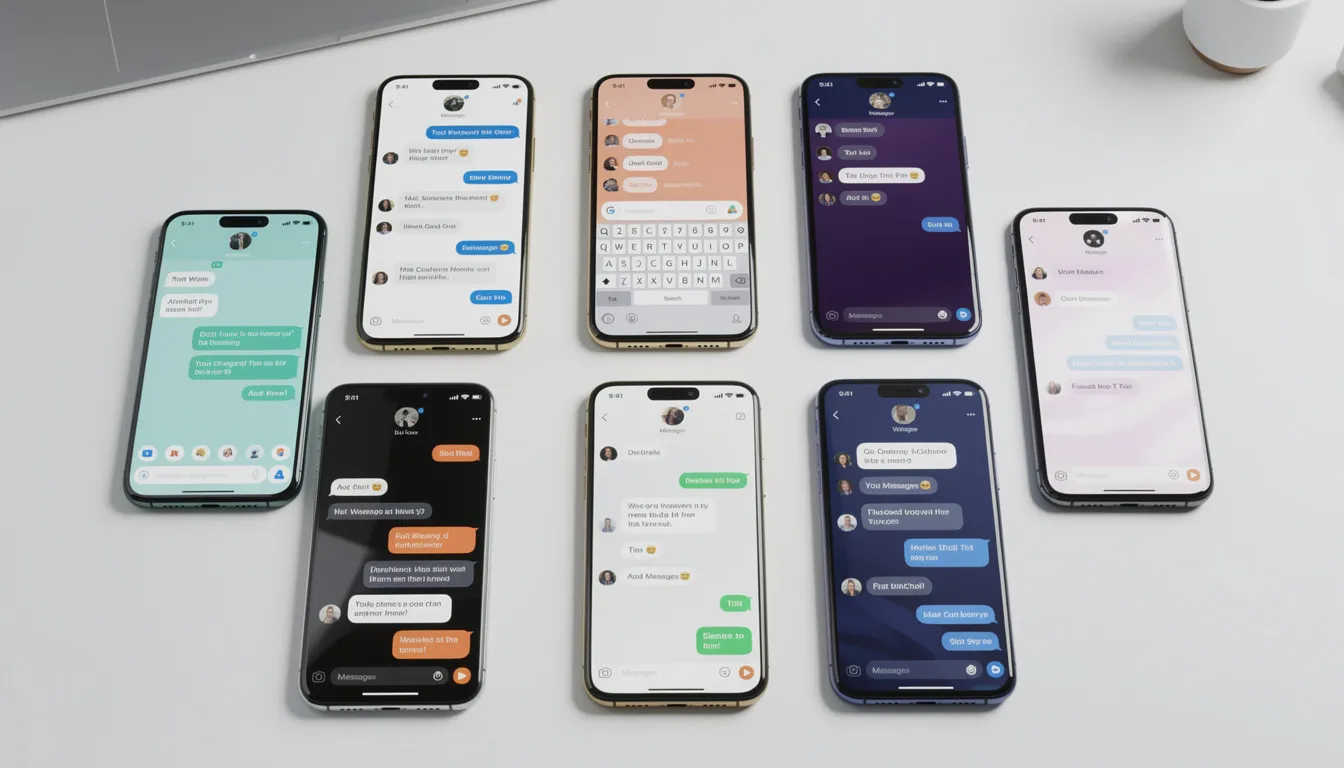
Real-World Use Cases of AI Chatbots
By 2025–2026, ai chatbots have transitioned from experimental demos to mission-critical tools across industries. Here’s how people are actually using them in their daily lives and work.
Personal Productivity
The time savings are tangible. Consider these scenarios:
Email drafting – A one-hour email-drafting session drops to 10 minutes when the chatbot generates a first draft you refine
Trip planning – Ask for a complete 7-day itinerary with restaurants, activities, and travel logistics
Document summarization – Upload a 50-page PDF and get the key points in 2 minutes
Study plans – Create a personalized learning schedule for mastering a new skill
Concept explanations – Ask for quantum physics explained at kid level, then student level, then expert level
Business Workflows
Support teams use chatbots to triage inbound tickets, identifying which issues need human agents versus automated resolution. Sales teams employ chatbots to:
Automatically enrich lead information by scanning company websites
Qualify prospects by asking targeted discovery questions
Hand off ready-to-talk leads to human reps
Marketing teams generate newsletter drafts from form responses, summarize customer feedback, and draft social media copy. HR departments deploy chatbots to answer routine employee questions about benefits, policies, or time-off procedures.
Concrete Workflow Examples
Here are three practical automations teams are running:
Auto-replying to customer reviews – A chatbot monitors new reviews on Yelp or Google, drafts personalized responses, and queues them for human approval before posting
Newsletter generation – Form submissions (event registrations, feedback surveys) automatically feed into a chatbot that drafts a weekly newsletter section summarizing the inputs
Meeting summarization – Recorded calls get transcribed, summarized, and formatted with action items in Google Docs or Notion
Sector-Specific Deployments
Healthcare – Patient intake bots collect symptom information before appointments, reducing administrative burden. Important caveat: these bots explicitly disclaim that they don’t provide diagnoses and always recommend consulting healthcare providers.
Retail and E-commerce – Bots analyze customer preferences and purchase history to recommend products, often completing transactions directly within the chat interface.
Financial Services – Chatbots answer policy questions, explain product features, and handle routine account inquiries without requiring a human agent.
Hospitality and Travel – Bots handle booking, itinerary changes, and travel advice at scale.
How to Choose the Right Artificially Intelligent Chatbot for You
By 2026, “best” depends more on fit with your tools, privacy needs, and work style than on any leaderboard benchmark. Here’s how to think through the decision.
Identify Your Primary Goal
Different chatbots excel at different tasks:
Primary Goal | Recommended Chatbots |
|---|---|
Research & fact-checking | Perplexity, Duck.ai |
Coding & development | GitHub Copilot, Claude, Cursor AI |
Marketing & writing | ChatGPT, Claude |
Customer support deployment | Custom bots via Zapier, Vertex AI, LivePerson |
Learning & education | ChatGPT, Claude, Gemini |
Emotional support | Pi |
Consider Ecosystem Lock-In
If you live in Google Workspace daily, Gemini’s native integration in Docs, Sheets, Gmail, and Meet offers seamless workflows. If you use Microsoft 365, Copilot’s tight integration in Word, Excel, Outlook, and Teams likely fits better.
For cross-platform flexibility, tools like Poe (which aggregates multiple models) let you compare without committing to a single vendor.
Compare Cost and Licensing
The pricing landscape offers options at every budget:
Free tiers:
ChatGPT (GPT-4o mini, daily limits)
Claude (web access)
Gemini (via google.com/gemini)
Perplexity (daily query limits)
Meta AI (integrated into Facebook, Instagram, WhatsApp)
Pi
DeepSeek
Subscription options ($20/month range):
ChatGPT Plus – Faster responses, priority access, higher limits
Claude Pro – Priority access and higher limits
Copilot Pro – Advanced features within Office applications
Perplexity Pro – Removes query limits, adds deep research features
Enterprise licensing: Ranges from tens of thousands to hundreds of thousands annually, depending on scale, customization, and compliance requirements.
Address Privacy and Data Control
Critical questions to ask:
Are my chats used for model training? (Most public chatbots log conversations by default; check opt-out options)
Is self-hosting possible? (Open-source models like DeepSeek or LLaMA can run locally)
How do enterprise agreements handle data retention?
Organizations handling sensitive data need self-hosted or contractually-protected solutions. Never paste confidential business documents, customer PII, or health records into public chatbot interfaces.
A Practical Evaluation Routine
Don’t just rely on reviews. Test for yourself:
Pick 2–3 leading candidates
Use each for a week on your recurring tasks
Compare output quality, response speed, reliability, and integration ease
Notice which one you naturally gravitate toward-that’s often the best indicator of fit

Opportunities and Risks of Artificially Intelligent Chatbots
AI chatbots come with substantial upside and meaningful risks. Understanding both helps you use them wisely.
Time Savings and Efficiency
Tasks that took hours can shift to minutes. Organizations report 10–30% improvements in task completion speed, freeing capacity for higher-judgment work.
Accessibility and Democratization
Someone with no coding background can ask for a Python script.
A non-native English speaker gets emails refined.
A student without a tutor gets quantum physics explained at multiple levels.
Expertise becomes more accessible across populations.
Creativity and Brainstorming
Generate 50 email subject lines in seconds and refine the best ones.
Explore alternative narrative structures.
Iterate through business model ideas.
The chatbot serves as an always-available sparring partner.
Learning Acceleration
Students use chatbots as personalized tutors.
Professionals upskill by learning new technologies, design patterns, or frameworks through interactive Q&A.
Hallucination and Factual Errors
Chatbots confidently state false information, especially about recent events, niche topics, or details outside training data.
A user who relies on output without verification risks spreading misinformation.
Bias Baked into Training Data
Large language models learned from internet text that contains historical biases.
Outputs can perpetuate stereotypes in subtle ways-problematic for hiring, lending, or healthcare decisions.
Overreliance and Deskilling
Workers may offload critical thinking, eroding their own judgment over time.
A junior developer relying entirely on GitHub Copilot may never build foundational coding skills.
Misinformation at Scale
Bad actors can generate convincing deepfakes, spam, and disinformation campaigns faster than ever.
Data Privacy Breaches
Pasting confidential information into public chatbots risks data leakage and potential regulatory violations (GDPR, HIPAA, SOX).
Environmental Impact
This often gets overlooked. Large language models require substantial electricity and water for both training and inference. Concrete estimates:
A simple search query uses roughly 0.3 watt-hours of energy
A chatbot generating a 200-word response might use 10–100 watt-hours-a 30–300x multiplier
At global scale with hundreds of millions of daily users, cumulative impact rivals small countries’ energy consumption
Mitigations:
Batch complex tasks in one session rather than spreading across many
Avoid frivolous queries
Choose providers investing in renewable energy
Stay intentional about when ai tools genuinely add value versus when they’re just convenient
How KeepSanity AI Helps You Stay Sane in the AI Chatbot Boom
If you’re building, deploying, or simply trying to use ai chatbots effectively, staying informed matters. But the way most people try to stay informed is broken.
The Problem
By 2025–2026, significant chatbot developments happen weekly: new model releases, pricing changes, safety incidents, capability breakthroughs, and policy updates. Most AI newsletters respond by sending daily emails-not because there’s major news every day, but because they need to tell sponsors “our readers spend X minutes per day with us.”
So they pad content with:
Minor updates that don’t matter
Sponsored headlines you didn’t ask for
Noise that burns your focus and energy
The result: piling inbox, rising FOMO, endless catch-up.
The KeepSanity Model
KeepSanity AI takes a different approach: one weekly, ad-free email covering only the major AI and chatbot news that actually happened.
What you get:
No daily filler to impress sponsors
Zero ads
Curated from the finest AI sources
Smart links (papers → alphaXiv for easy reading)
Scannable categories covering models, tools, business, product updates, robotics, community, and trending papers
Why This Matters for Chatbot Users
Whether you’re evaluating which ai model to adopt, tracking API pricing changes, or following best practices for deployment, KeepSanity delivers the signal without the noise.
Lower your shoulders. Protect your inbox. Get the updates that actually matter.
Getting Started: Practical Tips for Using AI Chatbots Wisely
Ready to start using chatbots more effectively? Here’s an actionable approach for 2026.
Sign Up for the Right Tools
Start with at least two chatbots:
One general-purpose assistant (free plan of ChatGPT or Claude)
One search-focused tool (Perplexity for research and fact-checking)
This gives you flexibility for different tasks without committing to subscriptions upfront.
Try Simple Starter Tasks
Before tackling complex tasks, build familiarity:
Rewrite a difficult email – Paste in your draft and ask for three alternative versions with different tones
Summarize a long article – Paste the text and ask for a 3-bullet summary
Explain a concept at different levels – “Explain machine learning to a 10-year-old, then to a college student, then to an expert”
Create a one-week study plan – “I want to learn SQL basics. Create a daily 30-minute study plan for one week with specific resources”
Practice Prompt Hygiene
Forget “prompt hacks.” Focus on clarity:
Good prompt structure:
Define the role you want the chatbot to play
State your goal clearly
Specify constraints (word count, format, tone)
Describe the desired output format
Example prompt: “You are a senior marketing copywriter. Write three email subject lines for a product launch announcement. Keep each under 50 characters. Use an excited but professional tone. Format as a numbered list.”
Safety and Ethics Guidelines
Never share confidential data in public chatbots-no customer lists, proprietary code, or sensitive documents
Always verify critical facts with primary sources, especially for medical, legal, or financial decisions
Be transparent when AI has substantially helped create content
Check your organization’s AI policy before using chatbots for work tasks
Establish a Reflection Routine
At the end of each week, review:
Which chatbot interactions genuinely saved time or improved quality?
Which were unnecessary or produced poor results?
What types of tasks should I use chatbots for going forward?
Adjust your toolkit based on real experience, not assumptions.

FAQ
Are artificially intelligent chatbots really intelligent?
Current chatbots (as of 2026) don’t understand the world like humans do. They detect patterns in language and generate plausible responses using statistical models-sophisticated pattern matching, not conscious thought.
They can outperform humans on many benchmarks: coding tasks, standardized exams, language tests. But they still hallucinate facts with complete confidence. A chatbot might tell you a specific book was written in 1987 when it was actually published in 2001, and it will sound just as certain either way.
The practical takeaway: treat chatbot outputs as smart first drafts that need human verification, not authoritative answers.
Can I build my own AI chatbot without being a developer?
Yes. No-code and low-code platforms make it possible for non-developers to create basic features for bots:
Zapier Chatbots – Drag-and-drop conversation flows connected to apps you already use
Google Vertex AI Agent Builder – Build custom agents using Gemini
Microsoft Power Platform – Create bots integrated with Office 365
Website builders – Many now include chatbot widgets with visual editors
The typical approach: connect a hosted LLM to your own documents or website, design conversation paths visually, and set up integrations without writing code.
For more advanced, security-critical deployments-especially those handling sensitive data-developer involvement and proper data governance still matter.
Which AI chatbot is the most accurate in 2026?
Accuracy varies significantly by task. Some models excel at long-form reasoning (Claude 3.x), others at real time web data (Perplexity), others at coding (GitHub Copilot), and others at speed (smaller models like GPT-4o mini).
Rather than relying on general rankings, test 2–3 chatbots on your own typical tasks. If you write legal summaries, test that. If you review code, test that. If you draft marketing copy, test that.
KeepSanity AI tracks major benchmark results and model releases weekly, helping you know when a new model might be worth trying without monitoring dozens of sources yourself.
Do AI chatbots replace human jobs, or just automate tasks?
In 2024–2026, chatbots mostly automate specific repetitive tasks-drafting, summarizing, triage, data entry-rather than entire roles. But this changes how many jobs are performed and what skills matter most.
The most effective approach: treat chatbots as co-pilots that extend your capacity while actively building skills in areas AI struggles with-judgment, strategy, interpersonal communication, ethical reasoning.
Organizations combining human oversight with AI tools typically see better outcomes than those attempting full replacement. The jobs at greatest risk are those consisting almost entirely of tasks chatbots handle well; roles involving judgment, relationship-building, and strategic thinking remain more durable.
What is the environmental impact of using AI chatbots?
Large language models require substantial electricity and water for both training and daily inference. A chatbot generating a response consumes significantly more energy than a basic web search-estimates suggest 10 to 100 times more per query.
At global scale, with hundreds of millions of users generating multiple interactions daily, cumulative impact is meaningful.
What you can do:
Be intentional-batch complex tasks rather than spreading them across many sessions
Skip trivial queries where a simple search would suffice
Consider which providers invest in renewable energy and efficient infrastructure
Support improvements in model efficiency that reduce per-query impact
Future advances in specialized hardware and smaller, task-specific models will likely reduce environmental cost over time, but conscious usage matters today.