Artificial Intelligence for Writing: The 2026 Guide
Introduction
Welcome to the 2026 Guide to Artificial Intelligence for Writing. This comprehensive resource is designed for writers, marketers, students, professionals, and anyone interested in leveraging AI to enhance their writing process. As AI writing tools become seamlessly integrated into everyday platforms and workflows, understanding how to use them effectively-and responsibly-has never been more important. This guide covers the latest advancements, practical workflows, best tools by use case, ethical considerations, and strategies for staying current without information overload. Whether you’re crafting blog posts, academic papers, marketing content, or creative fiction, this guide will help you navigate the evolving landscape of AI-powered writing.
Key Takeaways
AI writing in 2026 is embedded directly into everyday tools like Google Docs, Microsoft 365, Notion, and specialized apps such as Jasper, Sudowrite, and Grammarly-no separate platforms required for most tasks.
AI functions best as a writing partner for generating ideas, drafting, editing, and seo optimization-not as a fully autonomous content machine.
Human oversight, fact-checking, and voice control remain essential to avoid generic, inaccurate, or brand-damaging content.
Different profiles benefit from different setups: students need free tools and chatbots, marketers need brand voice features, authors need creative-writing specialists-most people need just 1–2 core tools plus ChatGPT or Claude.
Tracking AI-for-writing developments efficiently means choosing a weekly, no-filler digest like KeepSanity rather than drowning in daily noisy updates.
What Is “Artificial Intelligence for Writing” in 2026?
Artificial intelligence for writing refers to software powered by large language models-systems like GPT-4.1 from OpenAI, Claude 3.5 Sonnet from Anthropic, and Gemini 2.0 from Google-that can draft, rewrite, summarize, and analyze text by predicting subsequent tokens based on training on billions of words from books, articles, code, and web pages. AI writing tools use Natural Language Processing (NLP) technology to analyze and generate text. Large Language Models (LLMs) are algorithms that analyze language patterns and generate text based on those patterns. These models have matured significantly since ChatGPT’s mainstream breakthrough around 2023-2024, evolving from standalone novelties into embedded features within the writing process you already use.
By early 2026, AI writing capabilities live inside Microsoft 365 (real-time drafting suggestions in Word), Google Docs (outlining and rewriting via Gemini), Notion (summarization and idea expansion), Slack, Outlook, and Gmail. Even browsers like Chrome, Edge, and Arc now include persistent AI sidebars that activate on any online text input field, effectively turning every blank page into an AI-enhanced editor.
The distinction between “AI models” and “AI writing tools” matters for choosing wisely:
Category | Examples | What They Do |
|---|---|---|
AI Models | GPT-4.1, Claude 3.5, Gemini 2.0 | Raw predictive power, text generation engine |
AI Writing Tools | Jasper, Grammarly, Sudowrite, Rytr | Layer specialized UX, workflows, tone filters, seo tools, and brand voice constraints on top of models |
Think of models as the engine and tools as the car built around it. Jasper adds marketing templates and brand voice training. Sudowrite adds fiction-specific features like character sheets and scene expansion. Grammarly adds grammar checking, style suggestions, and plagiarism detection. |
If you need to track which models and tools are actually worth your time as they evolve, a weekly source like KeepSanity covers major AI writing updates without the daily inbox overload.

Core Use Cases of AI for Writing
Most people don’t “do AI” in the abstract-they use an ai writing tool for specific writing tasks. Here are the concrete jobs where AI delivers real value in 2026.
Idea Generation and Brainstorming
Before you can start writing, you need ideas. AI excels at generating ideas and helping you brainstorm ideas quickly.
Ask ChatGPT to outline a B2B SaaS article on customer retention, and you’ll have a full structure-introduction, pain points, strategies, case studies, conclusion-in under 60 seconds. This works for:
Blog topics and YouTube scripts
Campaign angles and talking points
Research questions and thesis directions
Product naming and value proposition exploration
The ai writing assistant doesn’t replace your own thinking-it accelerates the divergent phase where you need options to evaluate.
Drafting Long-Form Content
For long form content like articles, whitepapers, reports, or book chapters, ai tools like Jasper, Writesonic, or Notion AI can produce 1,000–2,000-word drafts from detailed prompts specifying length, style, and structure.
Writesonic, for example, offers seo research integration that checks keyword density as you draft. Jasper includes brand voice matching trained on your uploaded samples. The output isn’t publish-ready, but it gives you raw material to shape rather than starting from a blank page.
Rewriting and Improvement
Editing tools like Grammarly, QuillBot, and Wordtune excel at rewriting tasks:
Paraphrasing for originality
Shifting tone (formal to casual, technical to executive-friendly)
Improving clarity and concision
Fixing grammatical errors
Concrete scenario: You have a 1,500-word technical memo. You need a 500-word executive brief for the C-suite. Paste the memo into Writer or QuillBot with instructions like “concise, C-suite friendly, bullet-point heavy,” and you’ll get a draft in seconds that captures key points without the technical depth.
SEO and Content Marketing
For content marketing teams, AI handles the research and writing process for search-optimized content:
Tool | Primary Function | Starting Price (2026) |
|---|---|---|
Surfer | SERP analysis, on-page scoring, keyword frequency | $69-79/month |
Frase | Content briefs, topic research | ~$45/month |
Scalenut | Keyword clustering, long-form drafts | ~$39/month |
GrowthBar | Outline generation, competitor analysis | ~$29/month |
These seo tools analyze top-ranking pages, suggest term frequencies, help build content clusters for topical authority, and generate meta tags automatically. |
Professional Documents
AI handles professional writing formats efficiently:
Cover letters tailored to specific job descriptions
LinkedIn profiles and headlines
Business plans and pitch decks
Business emails and proposals
Marketing material and web copy
Jasper offers templates for these. Rytr generates LinkedIn profiles. HubSpot’s AI integrates with CRM for personalized client emails. These aren’t creative writing challenges-they’re format-following tasks where AI saves hours.
Academic and Research Support
For academic writing, AI assists with:
Summarizing research papers (Perplexity can condense a 20-page arXiv preprint into key findings)
Generating thesis statements and essay structures
Improving clarity in dense technical prose
Critical warning: AI text generators hallucinate references. They’ll cite papers that don’t exist with invented authors and dates. Always verify citations manually. Tools like AI-Writer and Perplexity provide references, but humans must confirm they’re real.
Creative Writing
For writing fiction, poetry, and narrative nonfiction, Sudowrite leads the fiction writers category with features like:
Story bible functionality (character sheets, worldbuilding lore, sensory descriptors)
Scene expansion that maintains narrative coherence
Plot twist and dialogue generation
These creative writing tools outperform general models because they’re trained specifically for narrative structure.
How AI Writing Actually Works (Without the Hype)
Understanding the mechanics helps you use ai writing software more effectively and identify patterns when outputs go wrong.
The Basic Loop
Large language models are trained on billions of words from books, articles, code, and web pages. They learn to identify patterns in how words follow other words. When you provide a prompt, the model predicts the most likely next token (word or word-piece), then the next, then the next-generating text that statistically resembles its training data.
The process looks like this:
User prompt: You specify audience, format, tone, length, and constraints
Model prediction: The LLM generates text via attention mechanisms
Tool post-processing: Jasper applies brand voice matching, Surfer adds SEO filters, Grammarly checks grammar
Human editing: You revise, fact-check, and add your own voice
Models and Context Windows
By 2026, GPT-4.1 and Claude 3.5 Sonnet power most premium ai writing tools for superior coherence and reduced generic phrasing. Budget tools like Rytr often use cost-optimized GPT-3.5 variants.
Context windows have expanded dramatically:
Modern models handle 128k+ tokens
That’s enough for entire book chapters or large research corpora
This enables long-form coherence that was impossible in 2023
Rytr plans start at $9/month for unlimited generations using the cheaper model. Jasper and other premium tools cost more but deliver noticeably better quality for professional writers.
Known Limitations
Every ai content generator shares these constraints:
Hallucinations: Models fabricate details, including fake citations, non-existent statistics, and incorrect dates
Knowledge cutoffs: Base models typically stop around mid-2025 without live search integrations
Generic phrasing: Without specific prompting, outputs trend toward bland, template-style prose
Stylistic sameness: Over-reliance creates homogenized content that sounds like everyone else’s
Tools add layers to mitigate these issues. Surfer matches real-time SERP tone. Anyword provides performance prediction scores. Writer includes compliance filters for regulated industries. But the fundamental limitations of generative ai require human oversight.
Best AI Writing Tools in 2026 by Job-to-be-Done
Rather than listing dozens of tools alphabetically, this section groups the best ai options by what they’re actually best at.
Research and Ideation
Tool | Strength | Best For |
|---|---|---|
ChatGPT | Versatile reasoning, custom GPTs | General exploration, outlining |
Claude | Long-context analysis, nuanced writing | Research synthesis, drafting |
Perplexity | Cited web searches, real-time data | Analysts exploring topics pre-draft |
ChatGPT has 800 million weekly users and costs €23/month for Plus with custom GPTs for workflows. Perplexity excels at grounded research where you need sources. |
Business and Marketing at Scale
For content generation at volume with brand voice consistency:
Jasper: Mature team features, brand voice training, higher pricing tiers
Anyword: Data-driven ad optimization, $49/month
Writesonic: $12.67/month for 200k GPT-3.5 words or 33k GPT-4 words
CopyAI: Workflow automation, superior UI for marketing copy
Peppercontent: High-volume blogs, ads, social media posts
These handle web copy, landing pages, ad variations, and social content with features that maintain brand voice across teams.
SEO-Focused Writing
For content production optimized for search engines:
Surfer: $69-79/month, SERP scoring, keyword clustering
Scalenut: Content briefs with AI drafting
GrowthBar: Outline generation, competitor analysis
Frase: Research-first content brief generation
NeuralText: Keyword analysis and content optimization
INK: On-page audits and readability scoring
These perform SERP analysis, generate keyword clusters, and provide on-page scores that help content generated through AI actually rank.
Editing and Polishing
For grammar checker functionality and style improvement:
Grammarly: Ubiquitous integration, free version available, premium unlocks more advanced features
ProWritingAid: Deep style analysis for professional writers
QuillBot: Paraphrasing and rewording
Wordtune: Tone shifts and clarity improvements
These work across academic writing, professional documents, and content marketing.
Fiction and Creative Writing
For authors and fiction writers:
Sudowrite: $19-22/month Professional tier, custom prose model, scene expansion
Novelcrafter: $14/month Artisan tier, codex for lore storage
Chibi AI: $9/month, chat-style interface, learns user style, 20+ languages
Sudowrite’s story bible features-character sheets, worldbuilding lore, sensory descriptors-outperform general models for narrative coherence.
Short-Form and Ecommerce
For product descriptions and ad copy:
Describely: Integrated with Shopify/WooCommerce
Hypotenuse: Amazon listing optimization, social captions
These specialize in high-volume short-form content production.
The Stack Approach
Most serious writers in 2026 run a stack of 2–4 software tools:
Research chatbot: ChatGPT or Claude
Primary writing environment: Notion, Jasper, or Google Docs with AI
SEO layer (if applicable): Surfer or Frase
Proofreader: Grammarly or ProWritingAid
This poly-tool approach outperforms trying to do everything in a single app.

AI for Writing Across Different Formats
AI behaves differently depending on format. A LinkedIn post, a 3,000-word report, and a resignation letter each need different prompting and other tools.
Professional and Workplace Writing
Tools embedded in Outlook, Gmail, and Google Docs draft and revise based on bullet points:
Emails: Paste bullet points, get a polished email draft
Executive summaries: Condense long reports into key points
Business reports: Structure raw data into readable narratives
Slide copy: Transform notes into presentation-ready text
Microsoft Word’s AI features and Google Docs’ Gemini integration handle these without switching apps.
Job Search and HR Content
AI excels at format-following professional documents:
Résumés tailored to specific job descriptions
Cover letters that reference company-specific details
LinkedIn headlines and about sections
Job descriptions that attract qualified candidates
Personal value proposition statements
Concrete example: Generate a cover letter for a 2026 product manager role at a SaaS startup by feeding the job description and your experience into Jasper or ChatGPT, specifying tone and length, then editing for authenticity.
Academic and Educational Writing
Universities have largely converged on policies by 2025-2026:
Allowed | Restricted |
|---|---|
Brainstorming and ideation | Full ghostwriting without disclosure |
Outline generation | Submitting ai generated content as original work |
Language polishing | Fabricated citations |
Clarity improvements | Bypassing learning objectives |
AI writing tools work well for generating thesis statements, essay structures, topic sentences, and abstracts-but the core argumentation must be your own writing. |
Content Marketing Formats
For content marketing, AI handles:
Blog post drafts and outlines
Meta titles and meta descriptions
Social captions for Instagram, LinkedIn, Twitter
Slogans and taglines
Business names and campaign concepts
Tools like Jasper, Writesonic, Rytr, and even Grammarly’s generative features cover these. Buffer AI handles social media posts specifically for $6/month.
Creative Formats
Authors use AI to explore alternatives, not generate text wholesale:
Alternative scene directions
Different character voices
Poetic style variations
Flash fiction prompts
The workflow: AI generates options, humans select and refine manually.
Translation and Localization
Modern ai writing software supports 20-30+ languages with tone preservation. Writesonic and Grammarly handle translation while maintaining brand voice across markets. Chibi AI supports 20+ languages with style learning.
Practical Workflow: How to Use AI Without Ruining Your Writing
The Repeatable Workflow
For a 2,000-word B2B article or a funding pitch narrative, follow this repeatable workflow:
Research (Perplexity, ChatGPT): Gather data, sources, key arguments
Outline (ChatGPT, Claude): Structure the piece with sections and talking points
AI-assisted draft (Jasper, Writesonic, Notion AI): Generate raw material-10 minutes
Human revision: Add voice, expertise, proprietary insights-30-40 minutes
Fact-check: Verify statistics, citations, claims manually
SEO/polish (Surfer, Grammarly): Optimize for search and readability
Heavy AI use in early and late stages (brainstorming, outlining, editing) preserves originality. Light AI use in core argument and narrative portions protects your voice.
Prompt Design That Works
Generic prompts produce generic outputs. Specific prompts produce useful drafts:
Weak prompt: “Write a blog post about customer retention”
Strong prompt: “Write an 800-word article for C-suite executives at B2B SaaS companies about reducing churn. Include 2-3 specific examples from 2020-2025. Avoid buzzwords like ‘synergy’ or ‘leverage.’ Use a direct, no-fluff tone. Structure: intro hook, 3 main strategies with data, conclusion with one actionable takeaway.”
The more constraints you provide, the better the output.
Versioning Your Drafts
Keep multiple versions to understand what AI improves versus weakens:
V1: Your human draft or outline
V2: AI-expanded version
V3: Final edited piece
Comparing these reveals where AI helps (structure, transitions, examples) and where it hurts (voice, nuance, expertise).
Team Collaboration
Teams use AI comments and suggestions inside Google Docs, Notion, or Confluence. Review AI changes as you would with a junior writer:
Accept what works
Reject what doesn’t fit
Revise what’s close but needs adjustment
Timeboxing to Prevent Loops
Set limits:
10 minutes for prompts and generation
30-40 minutes for real editing
Without timeboxing, you’ll bounce ideas endlessly with AI, regenerating until you’ve wasted more time than writing from scratch.
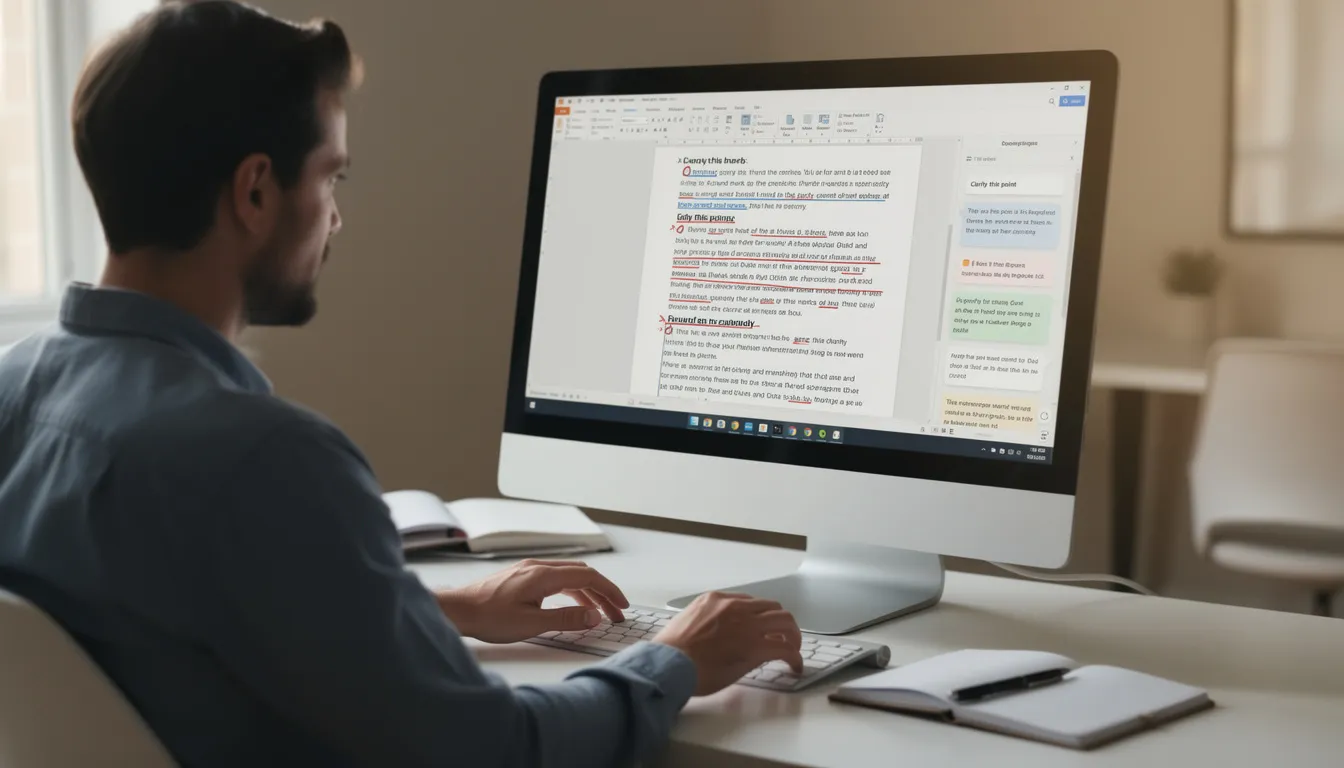
Risks, Ethics, and Policy Around AI Writing
Factual Accuracy and Hallucinations
AI generated text includes fabrications. Real examples:
Misquoted 2019 statistics that never existed
Academic citations to papers with invented authors
Historical events described with incorrect dates
Company names confused with competitors
Solution: Manual verification of every factual claim. Tools like Perplexity provide references, but humans must confirm sources exist and say what AI claims they say.
Plagiarism and Originality
AI doesn’t copy-paste from sources, but it can generate text suspiciously similar to common patterns in its training data. Tools like AI-Writer provide similarity scores. Grammarly includes plagiarism checking.
For free ai text generation especially, check outputs against plagiarism databases before publishing.
Academic and Workplace Policies
Current norms:
Universities: Brainstorming, outlines, language polishing typically allowed; uncredited ghostwriting forbidden; disclosure often required
Companies: Internal disclosure when AI drafts client-facing copy increasingly standard
Publishers: Varying policies, but disclosure trending toward requirement
Review your institution’s or client’s specific policies before relying heavily on ai assistance.
Copyright and Training Data
Some authors worry about their work training LLMs without compensation. Lawsuits are ongoing. For writers:
Review terms of service for platforms, especially free ai writing browser extensions
Understand that free plan tools often use your inputs to improve models
Premium tools typically offer better data privacy
Bias and Fairness
AI may reproduce stereotypes in:
Job descriptions (gendered language)
Evaluations (racial or geographic assumptions)
Marketing copy (cultural insensitivity)
Always review outputs for biased language before publishing.
Transparent Use
In academic or internal contexts, add disclosure:
“Draft generated with AI assistance and edited by [Your Name]”
This isn’t legally required everywhere, but it’s increasingly expected as a professional norm.
Choosing the Right AI Writing Setup for You
Solo Creators and Bloggers
Recommended stack:
One SEO-aware tool: Surfer ($69/month) or Frase (~$45/month)
One chatbot: ChatGPT (free tier or $20/month Plus)
One grammar checker: Grammarly (free version or $15/month premium)
Monthly cost: $0-100 depending on tiers
Marketing Teams and Agencies
Recommended stack:
Primary ai generator: Jasper, Anyword, CopyAI, or Writer ($20-70/seat)
SEO suite: Surfer or Scalenut
Editorial workflow: Notion or Google Docs with built-in AI
Grammar layer: Grammarly Business
Key features to prioritize: Brand voice training, team collaboration, content generated tracking
Students and Academics
Recommended stack:
Free ai text generation: Grammarly free tier
Chatbot: ChatGPT free tier for brainstorming
Optional: QuillBot for paraphrasing
Cost: $0-15/month
Key constraint: Stay within university policy boundaries
Authors and Long-Form Writers
Recommended stack:
Creative writing tool: Sudowrite ($19-22/month) or Novelcrafter ($14/month)
Research chatbot: ChatGPT or Claude
Deep editing: ProWritingAid ($20/month for full features)
Key features: Story bible functionality, style learning, manuscript-length context
Pricing Reality Check
Tier | Monthly Cost | Typical User |
|---|---|---|
Entry | $0-15 | Students, hobbyists |
Pro | $20-70/seat | Individual professionals, small teams |
Agency/Enterprise | $100s-1000s | Marketing agencies, large content teams |
Unlimited plan starts vary by vendor-read terms carefully to understand what “unlimited” actually means. |
Tracking Changes Over Time
AI writing vendors and pricing shift every few months. New models release. Features change. Rather than trying to follow every update, track developments via a weekly digest like KeepSanity that filters signal from noise.
How KeepSanity Helps You Track AI Writing (Without Losing Your Mind)
KeepSanity is a weekly AI news and tools snapshot chosen by teams at companies like Bards.ai, Surfer, and Adobe who need signal without inbox overload.
The Problem with Daily AI Newsletters
Most AI newsletters in 2024-2026 went daily not because major news happens every day, but because sponsors pay for “minutes spent per day” metrics. The result:
Minor updates padded into “news”
Sponsored headlines you didn’t ask for
UI tweaks presented as breakthroughs
Noise that burns focus and energy
The Weekly Alternative
KeepSanity delivers one email per week with only the major AI news that actually happened:
No daily filler to impress sponsors
Zero ads
Curated from the finest AI sources
Smart links (papers linked to alphaXiv for easy reading)
Scannable categories: models, tools, business, resources, community, robotics, trending papers
Coverage includes:
AI writing product updates (Jasper features, Grammarly changes)
Important model releases (GPT-4.1, Claude 3.5 updates)
Meaningful SEO or search-policy changes affecting ai generated content
Why This Matters for Writers
If you spend 20-30 minutes once a week scanning summaries, you stay current without:
Piling inbox from daily emails
Rising FOMO from missing updates
Endless catch-up on noise
Lower your shoulders. The noise is gone. Here is your signal.
FAQ
Is it legal to use AI to write blog posts, books, or client work in 2026?
In most jurisdictions (US, EU, and beyond), using ai tools for drafting is legal. There’s no law against using natural language processing software to generate text. However, contracts, academic rules, or platform terms may restrict uncredited AI authorship.
Publishers and clients typically care about originality, accuracy, and disclosure more than the mere use of AI. A ghostwriter using AI is still a ghostwriter-the question is whether you’re delivering original, accurate work that meets the agreement. Always review any contracts, style guides, or platform terms before relying heavily on AI.
By 2025-2026, many organizations request a simple disclosure when significant portions of a document were AI-generated. This is increasingly standard rather than exceptional.
Will Google or other search engines penalize AI-written content?
Google’s public statements through 2025 confirm they evaluate content based on quality, usefulness, and E-E-A-T (Experience, Expertise, Authoritativeness, Trust)-not on whether AI was used. The algorithm doesn’t care about your process; it cares about your output.
What gets penalized is low-quality, spammy, unedited content. This includes:
Mass-published thin articles with no unique insight
Content that doesn’t answer user queries effectively
Pages stuffed with keywords but lacking real value
If you edit for accuracy, add unique expertise, and publish content that genuinely helps readers, the source of your first draft doesn’t matter to search engines.
Can AI truly match a human writer’s style and voice?
Modern tools with brand voice features (Jasper, Grammarly, Anyword, Writer) can approximate a writer’s or brand’s tone based on example texts. You upload samples, and the ai model learns patterns in vocabulary, sentence structure, and formatting.
However, AI is pattern-matching, not thinking. It mimics patterns of style but struggles with:
Deep lived experience and personal anecdotes
Humor timing that lands
Complex argumentation that builds original ideas
Cultural nuances and insider references
Use AI to get 70-80% of the way there, then revise to add what only you can: proprietary data, personal stories, sharper opinions, and the specific expertise that makes content valuable.
How do I avoid my AI-generated content sounding generic?
Generic content comes from generic prompts. To avoid template-style outputs:
Prompt specifically: Include audience, desired references, examples, and constraints. Instead of “write about marketing,” try “write for B2B SaaS marketing directors, reference specific tools like HubSpot and Salesforce, include examples from companies that raised Series A-B in 2023-2024.”
Feed your own writing: Give AI your existing content samples so it can mirror your usual specificity rather than generic web patterns.
Inject details manually: Add dates, company names, internal processes, and real customer stories. These specifics differentiate your content from what anyone else could generate.
The ai generated output is raw material. Your job is adding the details that make it yours.
How can I keep up with constant changes in AI writing tools without spending hours every week?
Trying to follow every product launch on social media is unrealistic. By 2026, model and tool releases happen weekly. New features ship constantly. Vendor marketing creates artificial urgency.
The solution:
Subscribe to 1-2 curated sources that prioritize major updates (like KeepSanity’s weekly digest) rather than multiple daily emails
Set a fixed time (20-30 minutes once a week) to scan summaries
Bookmark what’s relevant to your specific workflow
Ignore everything else
You don’t need to know about every text generators update or every new ai technology feature. You need to know when something changes that affects your work. Weekly digests filter that signal from the noise.