Artificial Intelligence for Project Managers
Key Takeaways
By 2030, analysts expect AI to automate up to 80% of routine project management tasks like scheduling, status reporting, and basic risk identification. Project managers who learn to partner with AI now will gain a strategic edge over those who wait.
AI excels at data-heavy work-predictive scheduling, risk analysis, reporting automation-while humans remain essential for leadership, negotiation, stakeholder trust, and navigating organizational politics. Think of it as a copilot, not a replacement.
You don’t need to become a data scientist. Practical literacy in AI-driven tools already embedded in platforms like Jira, Azure DevOps, Monday.com, and Asana is enough to get started.
Concrete outcomes are already visible: fewer delays and budget overruns, optimized resource allocation across portfolios, and faster decision making based on live project data instead of stale slide decks.
A simple weekly habit of 30–60 minutes of AI-assisted planning and review can dramatically improve delivery quality without overwhelming project teams.
Introduction: Why AI Matters for Project Managers in 2025 and Beyond
Here’s a number that should keep every PM up at night: only about 35% of projects succeed on time and within budget. That’s according to Harvard Business Review data from 2023. The industry has talked about improving project success rates for decades, and the needle barely moves.
But something is changing. By 2030, forecasts predict that most administrative project management tasks will be AI-enhanced. We’re not talking about science fiction. The tools are already here-Microsoft 365 Copilot generates draft schedules from briefs, Atlassian Intelligence automates Jira workflows, Notion AI synthesizes knowledge across documents, and GitHub Copilot assists with code-related task estimation.
AI will not replace project managers but will change their roles, making them more strategic leaders who interpret AI insights and guide teams. AI handles data-heavy tasks, but human project managers are essential for contextual understanding, emotional intelligence, and ethical oversight. As AI takes over repetitive and analytical work, PMs will focus more on leadership, stakeholder management, and decision-making.
This article is a practical guide for working project managers. No hype. No vague promises about “transforming project management.” Just concrete use cases and habits you can implement this quarter.
If you’re drowning in information overload-too many tools, too many updates, too many Slack threads-AI isn’t more noise. It’s a filter. It consolidates scattered updates into actionable insights so you can focus on what actually moves the needle.
What you’ll find here: fundamentals of how AI works in project environments, high-impact use cases across the entire project lifecycle, tool categories with embedded features, adoption best practices including phased rollouts, and a skills roadmap that emphasizes literacy over coding.

What Is Artificial Intelligence in Project Management?
Artificial intelligence in project management is the use of machine learning, natural language processing, and automation to plan, execute, and control projects more accurately and with less manual effort. AI is transforming project management by enhancing efficiency, reducing risks, and optimizing resource allocation. AI can enhance project management by automating tasks and processes, improving decision-making, and optimizing resource allocation.
Key Terms Defined:
Predictive Analytics: In project management, predictive analytics refers to the use of historical project data and statistical algorithms to forecast future outcomes, such as project completion dates, potential risks, or resource bottlenecks. This enables PMs to anticipate issues before they arise and make proactive decisions.
Natural Language Processing (NLP): NLP is a branch of AI that enables computers to understand, interpret, and generate human language. In project management, NLP powers features like chatbots, automated meeting summaries, and the ability to query project data using everyday language.
Automation: Automation in project management involves using AI-driven tools to perform repetitive or rule-based tasks-such as updating status fields, sending reminders, or generating reports-without manual intervention. This reduces administrative workload and minimizes human error.
This isn’t your grandfather’s automation. Traditional automation relies on rigid rules-if X happens, do Y. Modern AI learns from data. It predicts delays based on patterns from past projects. It suggests task priorities based on dependencies and team capacity. It summarizes hour-long discussions into actionable bullet points.
Core AI capabilities relevant to PMs:
Capability | What It Does | Example |
|---|---|---|
Predictive Analytics | Forecasts completion times using historical patterns | Analyzing past vendor lead times to predict delivery risk |
Natural Language Interfaces | Lets you chat with your project data | “What changed on the payments API last week?” |
Generative Content | Auto-drafts reports, emails, and summaries | Creating weekly RAG updates from raw project data |
Recommendation Systems | Flags risks, suggests priorities, identifies dependencies | Highlighting oversubscribed resources before conflicts hit |
Concrete examples you can use today:
Jira’s AI suggests assignees based on skills, past performance, and current workload
Microsoft Planner with Copilot generates draft schedules from a short project brief
ClickUp and Asana use ML to predict realistic task due dates based on velocity data
The key insight: these features are increasingly embedded in existing project management ecosystems. You don’t need to learn a separate “AI tool.” The AI project management capabilities are baked into platforms you already use.
The Impact of AI on the Project Manager’s Role
Think about how the PM role has shifted between 2015 and 2025. A decade ago, project managers spent most of their time maintaining Gantt charts, chasing status updates, and assembling reports. Today, the focus has moved toward stakeholder alignment, coaching teams, and product thinking.
AI accelerates this shift. It frees up 20-30% of your time from spreadsheets and slide decks, giving you more bandwidth for decision facilitation, risk trade-offs, and team dynamics-the work that actually determines project success.
The mental model to adopt: AI as copilot, not pilot. AI provides options, scenarios, and alerts. You decide which path to take and how to communicate it.
Human strengths remain irreplaceable:
Persuasion: Convincing a skeptical executive to approve additional budget
Conflict resolution: Navigating disagreements between team leads
Political navigation: Understanding unspoken constraints and organizational dynamics
Ethical judgment: Knowing when to push back on unrealistic deadlines
Here’s a practical example. In a 50-person, multi-country program, AI can surface a schedule risk early by analyzing dependency chains and historical delays. But only the PM can broker a compromise between Marketing in London and Engineering in Bangalore-understanding the cultural nuances, the political stakes, and the unwritten rules that govern how decisions actually get made.
As Refonte Learning’s 2025 analysis puts it: AI is reliable at modeling schedules and risks via machine learning on historical data. But it augments intuition rather than replacing it.
Core AI Use Cases Across the Project Lifecycle
This section is a structured tour of practical applications: what to automate, what to predict, and what to summarize at each phase of the project lifecycle.
We’ll focus on real PM artifacts-charters, RAID logs, backlogs, resource plans, risk registers, steering decks, and post-mortems. Not abstract theory. The examples are tool-agnostic but reference platforms you likely already use: Jira, Azure DevOps, Monday.com, Smartsheet, Wrike, and ClickUp.
AI in Planning and Scheduling
AI transforms the initial planning phase by converting unstructured briefs into actionable plans.
Imagine starting with: “Launch new customer portal by Q4 2025 for EU and US markets.” Instead of manually building a work breakdown structure from scratch, AI can generate a draft WBS and schedule using historical data from similar projects.
Machine learning analyzes durations, buffers, and delays from projects between 2018-2024 to suggest realistic timelines-not the optimistic guesses that typically derail schedules later.
AI-assisted scenario planning lets you quickly simulate impacts:
What happens if we lose a key engineer in July?
How does shifting a regulatory milestone by 4 weeks affect the critical path?
What’s the probability of hitting our Q4 deadline if vendor delays repeat?
Approach | Estimated Duration | Risk Consideration |
|---|---|---|
Manual Schedule | 12 weeks (optimistic) | Based on ideal conditions |
AI Risk-Adjusted | 14-16 weeks | Includes buffers from historical patterns |
PMs still need to validate assumptions. AI-generated plans must match real-world constraints and organizational politics. The algorithm doesn’t know your CEO promised the board a different date.
AI in Resource and Capacity Management
AI-based resource management systems analyze skill tags, calendars, and historical productivity to suggest optimal staffing across shared resource pools.
In a multi-project IT portfolio from 2024-2025, AI can flag that your senior cloud architect is oversubscribed across three programs-before conflicts appear on status reports. Predictive capacity planning forecasts shortages in Q3 2026 based on backlog growth and attrition patterns, enabling earlier hiring or outsourcing decisions.
Modern tools suggest rebalancing work between locations or vendors based on throughput, not just hourly rates. This helps optimize resource allocation across your entire portfolio.
But here’s what AI can’t weigh: team cohesion, knowledge transfer risk, and stakeholder preferences. Resource availability is one input. Human judgment about team dynamics is another. Leverage AI for data analysis, but own the final call.
AI-Driven Risk and Issue Management
Natural language processing scans risk logs, emails, Teams/Slack threads, and Confluence pages to surface emerging risks that aren’t yet formally recorded.
ML models assign probability and impact scores based on past similar projects. In financial services, for example, the system learns that vendor delays in the payments domain historically cause 3-week slips in integration timelines.
Example: AI predicts a 60% chance of critical integration delay because of dependency chains and historical lead times. This gives you time to negotiate scope or add buffer before the risk materializes.
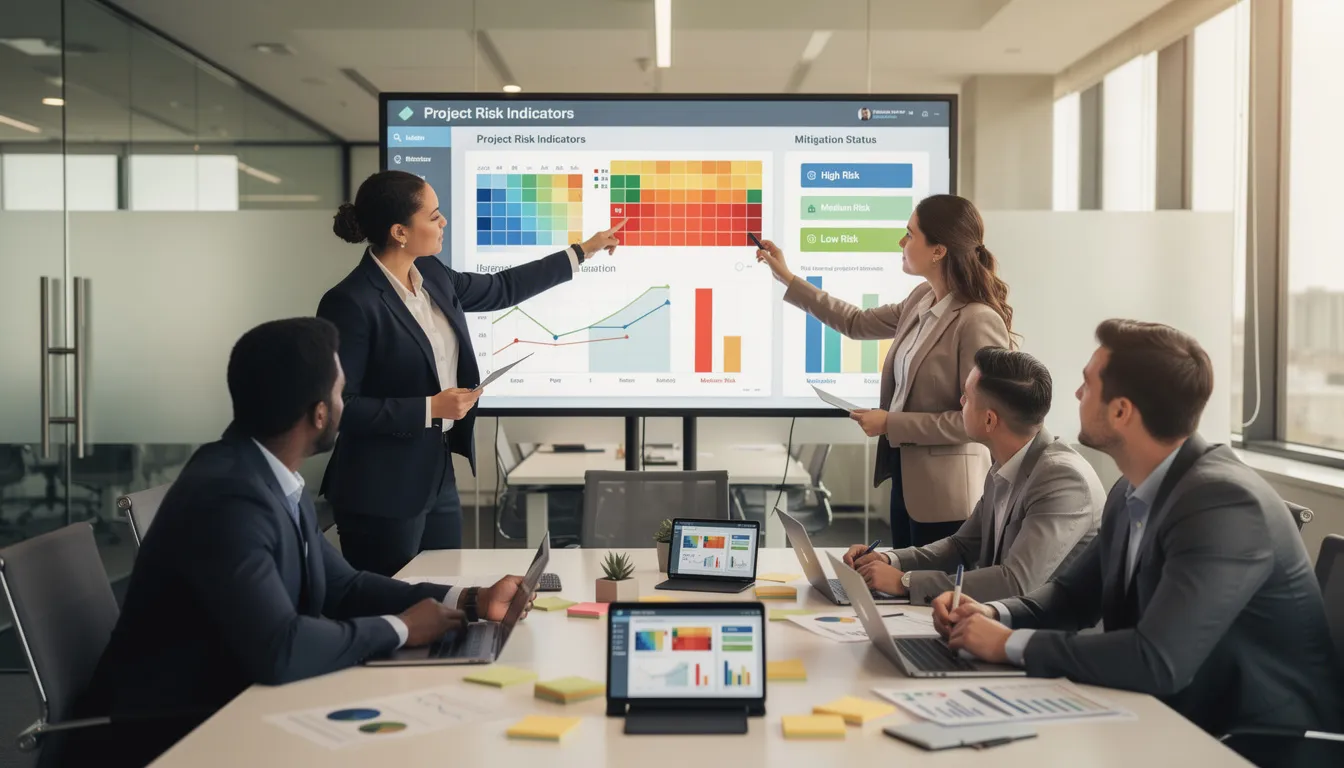
AI risk assessment heatmaps powered by predictive analytics surpass traditional Excel risk matrices that rely on manual, often stale inputs. The visualization updates in real-time as project data changes.
AI can also monitor sentiment in stakeholder messages to detect “hidden risk” in morale or sponsor support before it shows up in KPIs. This supports proactive risk management rather than reactive firefighting.
AI for Execution, Monitoring, and Status Reporting
AI-powered dashboards consolidate live data from task trackers, CI/CD pipelines, CRM, and finance tools into a single view of schedule, scope, and budget health. No more manual data collection across five different systems.
Automatic status drafting is a game-changer. AI generates weekly status reports, RAG updates, and steering committee summaries from raw project data and meeting transcripts.
Practical example for 2025: Using Microsoft Copilot or Atlassian Intelligence, you can produce a draft status email in under a minute. Then spend your time editing for tone and nuance rather than collecting data.
Anomaly detection spots unusual patterns: spikes in bug counts, test failures, or lead times that might signal deeper delivery issues. This transparency improves project progress visibility-less time collecting data, more time discussing trade-offs and decisions with stakeholders.
AI Assistants, Task Automation, and Virtual Project Copilots
Conversational project assistants-“Ask Jira,” “Copilot for Project,” or platform-embedded chatbots-answer questions like:
“What changed last week on the payments API project?”
“Who owns the integration testing milestone?”
“Which tasks are blocking the March release?”
Common automations:
Auto-assigning routine tasks based on skills and availability
Generating reminders for overdue items
Updating fields after deployments
Logging meeting action items directly into the backlog
This reduces cognitive load. You don’t have to remember where every piece of data lives. You can ask the system directly using natural language.
Governance remains human. PMs decide what automations are safe, when approvals are required, and how to prevent accidental scope or priority changes driven by bots.
Predictive Analytics and Scenario Simulations
Predictive analytics uses patterns from thousands of past project tasks to forecast future outcomes-delays, cost overruns, or quality problems.
For a mid-sized organization (200-500 staff with 30-50 active projects), simulations can test 2025-2026 roadmap options before committing budgets. Instead of presenting single deterministic deadlines (“We’ll deliver June 15”), you present probability distributions (“We have 70% confidence we’ll complete by June, 90% by July”).
This supports decision making with executives. You move from “guessing dates” to “managing likelihoods and trade-offs.”
PMs need basic statistical literacy to explain AI-based forecasts to non-technical stakeholders. Understanding confidence ranges and probabilities becomes part of the job.
AI for Knowledge Management and Upskilling Project Teams
AI search across wikis, tickets, project documents, and chat logs answers “Have we solved this integration problem before?” in seconds. This reduces reinvention and accelerates problem-solving.
AI-based learning copilots provide just-in-time micro-lessons:
“Explain critical chain scheduling in simple terms”
“Draft a RACI for a data migration project”
“What are best practices for vendor contract negotiations?”
Onboarding new PMs or BAs in 2025 can use AI-driven tours through historic project artifacts instead of 100-page manuals. This accelerates ramp-up for distributed teams collaborate across time zones, especially where documentation quality has been uneven.
Important: Control access levels so AI-driven knowledge search respects confidentiality boundaries. Not everyone should see everything.
Tangible Benefits of AI for Project Managers
The key benefits of leveraging AI in project management are measurable:
Higher on time delivery rates: Early warning systems catch delays before they cascade
Fewer last-minute escalations: Predictive analytics surfaces problems while you can still act
Better portfolio throughput: Resource optimization across multiple projects
Reduced reporting time: From hours of data collection to minutes of AI-generated drafts
Industry findings from 2022-2024 show organizations investing in AI for project management efforts report 10-20% productivity gains in planning and monitoring functions.
Cost benefits: Earlier detection of overruns and scope creep allows re-scoping or reprioritization before budgets are blown. Catching a 15% cost variance in week 3 is vastly cheaper than discovering it in month 6.
Personal benefits for PMs: Less burnout from manual admin, more career progression by focusing on strategic responsibilities, and stronger positioning in AI-augmented workplaces.
Case study: A digital transformation program reduced weekly reporting time from 6 hours per PM to under 90 minutes using AI-generated summaries. That’s 4+ hours per week returned to high-value work-stakeholder engagement, risk mitigation, and team coaching.
Choosing and Implementing AI Tools in Your Project Environment
This section is a pragmatic guide for moving from “we should use AI” to actually rolling out features in the next 3-6 months.
Recommended Phased Approach
Start with embedded features in tools your team already uses before purchasing standalone “AI PM” platforms
Prioritize integration with your existing stack (issue trackers, documentation, chat, ERP/CRM) to avoid fragmented, siloed automations
Pilot on one project before rolling out organization-wide
Simple Evaluation Checklist
Criteria | Questions to Ask |
|---|---|
Data Access | Can the AI connect to our existing project data sources? |
Security & Compliance | Does it meet our GDPR/CCPA requirements? |
Usability | Can non-technical PMs use it without IT support? |
Auditability | Can we see why the AI made specific recommendations? |
Vendor Roadmap | Is the vendor investing in features relevant to our needs? |
Involve InfoSec, legal, and HR early to address concerns about data residency, privacy, and job impact. Getting alignment upfront prevents blockers later.
Data Quality, Privacy, and Governance Foundations
AI is only as good as the data it sees. Inconsistent or incomplete project records lead to poor recommendations-garbage in, garbage out.
Practical steps for data quality:
Standardize fields in project tools (consistent naming for phases, risk categories, priorities)
Define naming conventions that AI can parse reliably
Ensure teams update status at agreed cadences (daily standups captured, weekly updates entered)
Privacy considerations in 2024-2026 are real. GDPR, CCPA, and internal policies govern what customer or employee data can feed into cloud AI services. Know your constraints before implementing generative AI tools.
Governance essentials:
Who approves new automations?
How do you log AI-driven changes?
How can project teams appeal or override AI suggestions?
Building trust in AI outputs requires transparency. PMs should know which data sources and rules drive key predictions. When stakeholders ask “why does the AI say we’ll be late?”, you need a coherent answer.
Training and Change Management for PMs and Teams
Tool adoption fails without skills and habits. PMs should plan training like any other change initiative.
Blended Training Approach
Short live demos showing AI features in action
Self-paced tutorials for different learning speeds
“Office hours” where teams bring real project challenges to experiment with AI features
Starter Exercises
Use AI to generate a project charter draft from a brief
Summarize a retrospective using AI
Propose a risk register from a statement of work
Address fears about job loss openly. Frame AI as a way to remove low-value work, not people. The goal is applying artificial intelligence for project efficiency, not headcount reduction.
Measuring Adoption
How often are AI features used?
Time saved on reporting and status updates
Reduction in manual errors in data entry

Building an AI Skills Roadmap for Project Managers
Project professionals don’t need advanced coding skills. But they do need a deliberate roadmap of competencies to stay relevant through 2025-2030.
Main skill buckets:
Skill Area | What It Means for PMs |
|---|---|
AI Literacy | Understanding how AI works at a conceptual level |
Data Literacy | Reading dashboards critically, spotting patterns |
Tool Fluency | Proficiency with AI features in PM platforms |
Prompt Design | Crafting effective queries for generative AI |
Human Skills | Facilitation, negotiation, ethical judgment |
6-12 month plan:
Month 1-2: Explore AI features in your current tools
Month 3-4: Complete PMI’s AI-related content for PDUs
Month 5-6: Build weekly AI-assisted planning habits
Month 7-12: Expand to predictive analytics and scenario planning
AI technologies will change quickly. Build habits for staying current without burning out-perhaps 30 minutes weekly reviewing AI updates relevant to your at your own pace.
Essential AI and Data Literacy for PMs
Core concepts PMs should understand:
Supervised vs. unsupervised learning (at a high level)
What a model is and what training data means
Why bias in training data leads to biased outputs
How large language models generate text
Data literacy means reading dashboards critically. Understanding distributions vs. single metrics. Spotting suspicious patterns or gaps in data driven insights.
Practical skills to develop:
Formulating good analytical questions (“What is driving our cycle time up?” rather than “Give me a report”)
Challenging AI outputs when they don’t match reality
Understanding when big data analysis applies and when small samples mislead
Sample questions to practice with AI tools:
“What patterns do you see in our last 10 sprint retrospectives?”
“Which team members are consistently underestimated in task duration?”
“What risks from past projects match our current situation?”
Prompting, Critical Thinking, and Human-Centric Leadership
Using generative AI effectively requires asking clear, contextual questions and iterating based on results. Prompt engineering isn’t just for developers-it’s a PM skill now.
Simple prompting framework for PMs:
Element | Description | Example |
|---|---|---|
Context | Project type and constraints | “We’re running a 6-month software development project with a remote team…” |
Task | What you want the AI to do | “…draft a risk register focusing on integration dependencies…” |
Format | How you want the output | “…as a table with probability, impact, and mitigation columns…” |
Tone | Style appropriate for audience | “…suitable for an executive steering committee.” |
Skepticism is essential. Cross-check AI-generated dates, budgets, or risk assessments against reality and expert opinions. AI insights are inputs, not gospel.
Example of combining AI + human judgment:
AI surfaces that historical data predicts a 60% delay risk for your integration phase. But you know that the specific vendor assigned this time has a much better track record than the vendors in the historical sample. You adjust the risk assessment downward-but keep the AI’s warning in your back pocket for stakeholder conversations.
As AI takes over administrative work, leadership skills become more visible. Facilitation of tough trade-off meetings, cross-team alignment, and ethical decisions around speed vs. safety-these are where project professionals earn their value.
Looking Ahead: The Future of Project Management with AI
Expected trends to 2030:
More automation of routine tasks (scheduling, status updates, basic risk flagging)
Deeper integration of AI into PMO tooling and portfolio management
Greater emphasis on portfolio-level optimization across multiple projects
Virtual assistants becoming standard team members
Industry surveys predict that a majority of project management tasks will be augmented by AI within five years. 82% of senior leaders plan AI adoption in their organizations.
Two contrasting futures:
PM who resists AI: Becomes a bottleneck. Spends hours on work that colleagues automate in minutes. Struggles to deliver projects on time. Career stagnates.
PM who embraces AI: Evolves into a strategic delivery leader. Uses freed time for stakeholder engagement, coaching, and business value creation. Advances career toward program and portfolio leadership.
Your call to action: Pick one active project. Introduce two AI-powered improvements in the next month:
Automated reporting (AI-generated status updates)
AI-guided risk review (predictive risk identification)
AI will reshape the craft of project management. But those who lean in now will have more impact, not less. The common challenges of adoption-data quality, change resistance, tool overload-are solvable with deliberate practice.
Lower your shoulders. The noise is gone. Here is your signal.
FAQ: Artificial Intelligence for Project Managers
Will AI replace project managers?
AI is unlikely to replace project managers by 2030. What it will do is significantly automate routine tasks: scheduling, reporting, basic risk flagging, and status updates.
Organizations still need humans to handle strategy, stakeholder politics, trade-offs, and accountability for project outcomes. When a project fails, someone has to explain why and take responsibility. That’s not a job for algorithms.
See AI as a lever to move up the value chain. The PMs who thrive will be those who utilize AI to eliminate low-value work and redirect that energy toward leadership, negotiation, and strategic thinking.
What is the fastest way for a PM to get started with AI?
Start with AI features already available in tools you use today. AI summaries in meeting platforms, AI-powered search in documentation systems, or copilots in office suites are low-friction starting points.
Pick one recurring task-like weekly status reports-and experiment with AI to draft it for 3-4 weeks. Measure time saved and quality improvements.
Once comfortable, gradually extend AI use to project planning, risk analysis, and backlog grooming. Building habits at your own pace prevents overwhelm and builds lasting competence.
Do I need technical or coding skills to use AI in project management?
Most modern AI features for PMs are low-code or no-code. They’re accessible through user interfaces and chat-style prompts. You don’t need to write Python to use other AI tools effectively.
Understanding data concepts and being able to challenge AI outputs is more important than coding for most project managers. Can you spot when an AI recommendation doesn’t make sense? Can you explain to stakeholders why a prediction might be off?
Basic familiarity with APIs or scripting can be a plus in highly technical software development environments. But it’s not a prerequisite for incorporating AI into your project work.
How can I convince leadership to invest in AI for project management?
Frame AI adoption in terms leaders care about: improved on time delivery, reduced budget overruns, faster reporting, and better portfolio visibility. Tie potential risks and benefits to business goals they already track.
Run a small pilot on a 3-6 month project starting in 2025. Collect hard metrics: time saved, risks identified earlier, delays avoided. Document the delta between AI-assisted work and traditional approaches.
Present both qualitative stories (less PM burnout, better team collaboration, faster decisions) and quantitative results. Leaders respond to data, but they remember stories. Combine both to build a compelling business case for scaling AI solutions across your project management capabilities.
What are the main risks of using AI in project work?
Key risks include:
Privacy and compliance issues: Feeding sensitive data into cloud AI without proper controls
Biased or inaccurate recommendations: AI trained on skewed historical data reproduces those biases
Over-reliance on tools: Trusting AI outputs without verification
Reduced human oversight: Automation that runs without appropriate checkpoints
These potential risks can be mitigated with robust data governance, transparency about AI limitations, and clear guidelines that humans retain final decision authority for prioritization AI algorithms suggest.
Document where and how AI is used in critical projects. Auditors and stakeholders need to understand the decision-making trail. When something goes wrong, “the AI said so” isn’t an acceptable answer. You own the outcomes.