AI Website Builder: From Idea to Live Site in Minutes
AI website builders turn a plain-English idea into a live, mobile-ready site in minutes-without writing a single line of code. This guide covers what an ai website builder is, how it works, and why it’s a game-changer for anyone looking to launch a website quickly. Whether you’re a small business owner, freelancer, or entrepreneur, this guide will show you how AI website builders can help you launch a professional website quickly and affordably.
AI website builders are more relevant than ever because they make website creation accessible to non-technical users, small businesses, and solo entrepreneurs. With the rise of AI-powered tools, you no longer need to hire expensive developers or spend weeks learning design skills. Instead, you can generate a complete, professional website in minutes, often with built-in SEO tools and cost-effective solutions. These platforms are designed to be user-friendly, so anyone can create a stunning online presence without technical expertise.
What is an AI Website Builder? Quick Summary
What is an AI website builder, how does it work, and what are its main benefits?
Definition: AI website builders are user-friendly platforms that allow users to generate complete, professional websites in minutes, often including built-in SEO tools and the ability to generate content (text and images) quickly.
How it works: You describe your business or idea in plain language, and the AI generates layouts, copy, images, and technical settings automatically.
Main benefits:
Save significant time and effort-websites are generated in minutes.
Accessible to non-technical users-no coding or design skills required.
Cost-effective-many offer free plans and built-in tools, reducing the need for third-party apps.
Built-in SEO tools help optimize your site for search engines.
Can create websites tailored to specific industries, such as marketing, real estate, and online courses.
Key Takeaways
Modern ai website builder platforms (launched mainly 2022–2025) can generate layouts, copy, images, SEO meta tags, and even ecommerce flows automatically from a simple description of your business.
The process is fast: describe your idea, hit generate, review the AI draft, customize with visual tools, and publish-often in under an hour.
You stay in control throughout. AI handles the initial 80% of the work, then you fine tune themes, layouts, and content using intuitive editors.
Practical use cases include portfolios, online stores, local business sites, landing pages for ai tools like KeepSanity.ai, and event pages.
Most builders offer a free tier or trial with no credit card required, making it low-risk to experiment before committing.
Experience Site Creation Like Never Before
AI website builders launched in the last few years have made it possible for anyone-regardless of technical skills-to create a business-ready, professional website in under an hour. These aren’t the clunky drag-and-drop editors of the past. They’re intelligent systems that understand what you’re trying to build.
AI website builders are designed to be user-friendly, making website creation accessible to non-technical users. The technology behind these platforms combines large language models (similar to GPT variants) with design systems trained on thousands of real websites from 2018–2024. When you describe your business, the AI cross-references patterns from successful sites in your industry to propose polished pages instantly.
The time savings are significant:
Approach | Typical Timeline |
|---|---|
Traditional agency build | 2-8 weeks |
DIY with templates | 2-5 days |
AI website builder | 5-20 minutes to first draft |
Most leading ai website creators offer free tiers or trials, so you can test the waters without financial commitment. The typical output from a single generation includes:
Responsive pages
Navigation menus
Contact forms
Blog sections
Basic SEO setup
Integrated analytics
-all configured in one flow.
Now that you understand how user-friendly and efficient AI website builders are, let’s see how your ideas are transformed into a live website.
Your Ideas Go In. Your Site Comes Out
How AI Builders Work
The experience starts with a conversational interface. You chat with an AI assistant about your business, services, audience, and style preferences. Minutes later, you’re looking at a complete website draft.
Example Use Cases
Here’s how versatile these tools can be:
SaaS landing page: Describe “an AI newsletter like KeepSanity.ai that saves time with weekly curated updates, no ads, scannable categories” and receive a structured site with hero sections, benefit-focused copy, feature grids, and signup forms.
Local business: Input “yoga studio in Berlin, casual and welcoming vibe, booking-focused” and get a multi-page site with gallery sections, class schedules, and localized German content.
Freelance portfolio: Enter “freelance designer, minimalist, image-heavy” and receive a one-pager with auto-shuffled layouts showcasing your work.
Customization Features
The process typically involves answering five to ten questions about your industry, target audience, desired tone, and main goal (leads, sales, subscriptions, bookings). If you have existing copy, you can paste it in and let the AI build around your content.
The AI transforms these inputs into a structured sitemap-home, about, services, blog, contact-with matching visual elements, color palette, and typography that perfectly fits your brand direction.
The initial draft isn’t meant to be final. The real value is getting 80% of the work done instantly so you can focus on fine-tuning rather than starting from a blank page.
Now that you’ve seen how AI builders generate your site, let’s explore the advanced customization options available.
Built for High Standards
Modern AI website builders are designed for professional use, not just quick personal pages. The websites generated by these platforms can meet the standards expected by startups, agencies, newsletters, and ecommerce brands.
Deep Customization Options
Customization depth goes far beyond choosing a template. You get full control over fonts, colors, spacing, sections, and interactive elements through visual editors-all without touching code. The site builder provides layer upon layer of refinement options.
Content quality is supported by integrated AI copywriting that can rewrite, shorten, expand, or change tone to match your brand voice. Need your “About” section to sound more approachable? Want your product descriptions optimized for search engines? The AI handles it.
You can regenerate parts of the site-say, only the hero section or only the pricing table-without losing the sections you’ve already manually edited. This makes iteration safe and fast.
Change Site Themes
Theme systems provide global control over your site’s visual identity. From a single panel, you can adjust:
Font families and pairings (serif headers with sans-serif body, etc.)
Color schemes (primary, secondary, accent colors via hex codes)
Button styles (rounded, square, outlined, filled)
Background treatments (solid, gradient, pattern)
A single theme change can instantly switch a site from “playful startup” (bright gradients, rounded type) to “serious consulting” (muted tones, serif fonts). This flexibility means your early drafts don’t lock you into a look while you refine your brand identity.
Practical UI elements include drop-downs for predefined themes or fine-tune controls for brand colors by hex codes and font pairings. Themes can be updated anytime, preserving your content while transforming the aesthetic.
Shuffle Layouts
AI builders can auto-generate multiple layout options for the same content. For your hero section, you might see:
Large image background with centered text
Split layout with text left, image right
Video background with overlay copy
Minimal text-only with bold typography
Users can cycle through several layout ideas with one click until they find a structure that perfectly matches their content and conversion goals. This is especially useful for key pages like home, pricing, and landing pages where hierarchy and clarity matter most.
Layout shuffling preserves your copy and images, making it safe to experiment without rewriting everything. If the new layout doesn’t work, switch back instantly.
Update Site Content
Click any text block and ask the AI to:
Rewrite for clarity
Shorten for mobile readers
Adjust tone (formal to casual, or vice versa)
Localize to another language
Optimize for relevant keywords
For example, transform a vague “About” paragraph into a sharp, benefit-led summary: “We started in 2020 with a mission to help small businesses” becomes “Since 2020, we’ve helped 500+ small businesses increase online sales by an average of 40%.”
Content updates can happen section by section or across the entire site. Want to unify the tone across all service pages in one step? The AI can handle that while preserving structure and design, preventing layout breaks.
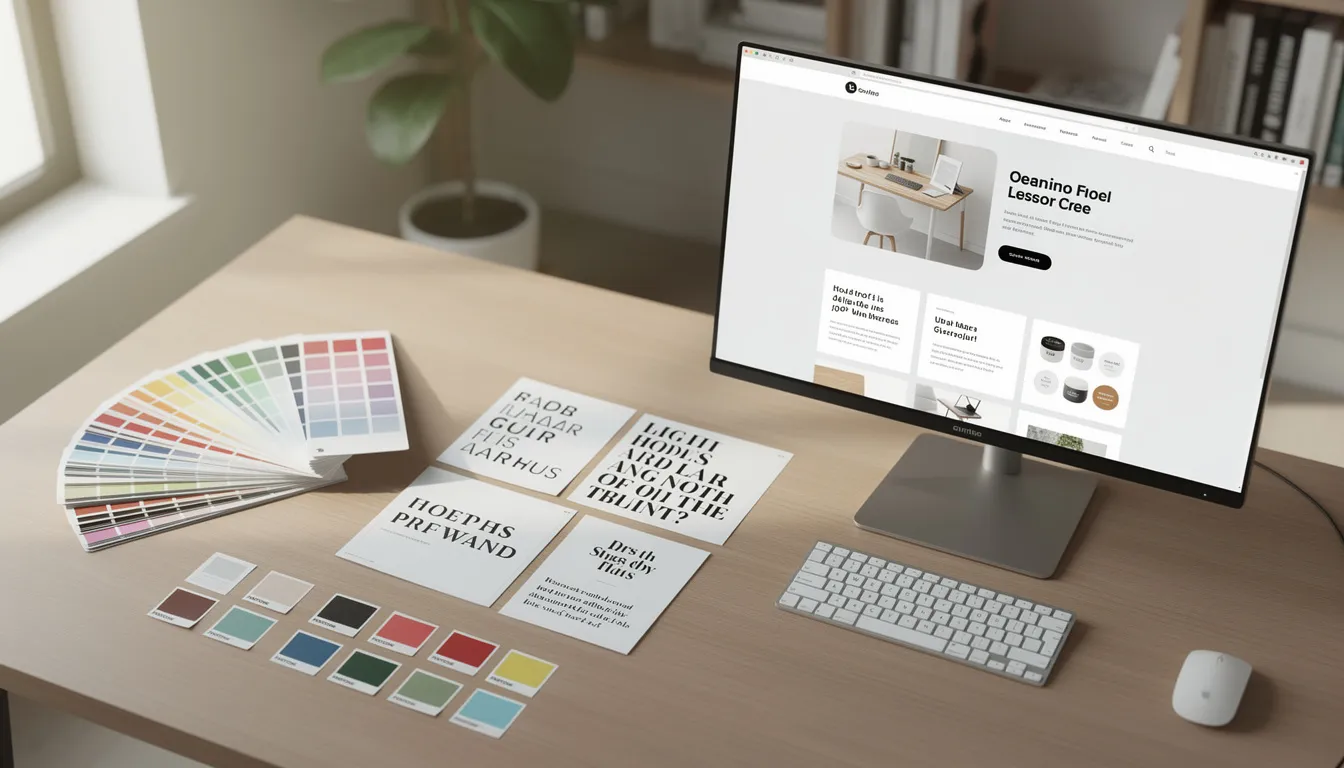
With these customization features, you can ensure your site matches your brand and business goals. Next, let’s look at how ongoing AI tools help you keep your website fresh and effective.
Keep Customizing Your Website with Intuitive AI Tools
Ongoing AI Tools
AI doesn’t stop after the first generation. Ongoing tools help you refine messaging, add new sections, and align with evolving business goals-all without hiring copywriters or designers.
Typical AI helpers include:
Section generators: Add testimonials, FAQs, galleries, pricing tables
Text editors: Rewrite, expand, or translate existing content
Image generators: Create visuals from natural language prompts
SEO assistants: Optimize meta tags, generate sitemaps, suggest keywords
Conversion prompts: Improve CTAs, forms, and lead magnets
This contrasts “manual tinkering” with “guided suggestions.” The builder recommends improvements-stronger headlines, clearer CTAs, faster-loading media-so you’re not guessing what to fix.
These built-in tools make it realistic for solo founders or small teams to maintain a stunning website without external help every time something needs updating. Quick iteration becomes possible for product launches, AI tool updates, or weekly campaigns.
Find the Right Words
AI copy capabilities shine when you need to generate:
Headlines and taglines
Feature bullets
FAQs
Blog post intros
Email signup copy
Here’s how it works in practice: type a prompt like “write a benefit-focused hero for an AI newsletter that saves time” and receive multiple options:
“Your weekly AI briefing. No noise, just signal.”
“Stop drowning in AI news. Get the curated highlights every Sunday.”
“One email. Every major AI update. Zero filler.”
You can set tone presets-“expert but approachable,” “playful startup,” “enterprise-grade”-that apply to all generated text. This helps non-writers ship persuasive, on-brand websites quickly, then refine copy as real feedback comes in.
Create New Sections for Your Site
Adding sections is as simple as clicking “Add section” and choosing from types like:
Client testimonials
Pricing tiers
FAQ accordions
Image galleries
Blog previews
Email signup forms
AI fills these with starter content that matches your existing theme. Placeholder testimonials, sample pricing tiers, and FAQ questions give you a structure to customize rather than a blank page to fill.
New sections are automatically styled to match your current theme, so the design stays consistent even as your complete website grows. This makes it easy to test new ideas-like adding a newsletter signup for an AI updates list-without redesigning the entire page.
With these ongoing AI tools, you can keep your website up-to-date and aligned with your business needs. Next, let’s walk through the step-by-step process of creating a website with AI for free.
How to Create a Website with AI for Free
The typical journey from idea to live site follows four steps: start, describe your idea, review the AI draft, customize, then publish. Many ai website builders provide either a completely free plan or a 7–14 day trial, allowing users to go from zero to live site at no upfront cost.
Here’s what’s typically included for free versus paid:
Free Tier | Paid Upgrades |
|---|---|
Basic pages and AI generation | Custom domain connection |
Platform subdomain | Ecommerce features |
Standard templates | Advanced analytics |
Core editing tools | Priority support |
SSL certificates | Removal of platform branding |
This process suits individuals, small businesses, and side projects who need to validate an idea before investing more.
Step 1: Get Started with a Click
Visit the AI website builder of your choice.
Click a “Create with AI” button.
Sign up with email or SSO (Google, GitHub, etc.).
You’ll typically answer short questions about:
Business type and industry
Location and target market
Primary audience
Main goal (sales, leads, newsletter signups, bookings)
Some tools support importing existing content from a PDF, Notion doc, or old site URL to accelerate setup. This step usually takes only 2–5 minutes and sets the direction for all the technical details of design and structure.
Step 2: Check Out Your AI Website Brief
Before generation, most platforms show you a website brief-a summary of suggested pages, sections, color styles, and tone based on your inputs.
The brief might list:
Home: Hero section, features, social proof
About: Company story, team, values
Services: What you offer, pricing overview
Blog: Content preview, categories
Contact: Form, location, hours
You can edit this brief before generation-adding or removing pages, clarifying your target audience, or specifying must-have sections. A clear brief leads to a closer first draft, reducing time spent on later revisions.
Step 3: Refine Key Elements of Your Site
After initial generation, you walk through a guided editor to adjust theme, layout variations, and main copy blocks. The editor lets you:
Preview desktop, tablet, and mobile views side by side
Regenerate specific elements (like only the hero image) without losing other custom work
Swap color palettes with one click
Edit any text directly in place
Before publishing, verify must-have elements:
Navigation works correctly
Contact info is accurate
Legal pages exist
Cookie notices are in place if applicable for your region
Step 4: Publish or Keep Customizing
Publish to a temporary subdomain instantly-perfect for sharing with collaborators or early users for feedback.
The site goes live instantly with reliable hosting, secure connections, and mobile-friendly layouts.
Connecting a custom domain (like “yourbrand.com”) typically requires upgrading to a paid plan. The platform guides you through pointing DNS records step by step, usually taking 15–30 minutes plus propagation time.
A “soft launch” approach works well: publish quickly, then iterate weekly based on analytics and user feedback. AI tools remain available after launch, so content, design, and SEO can evolve with your business indefinitely.

With your site live, let’s explore the powerful features bundled with AI website builders that support your business growth.
Your Sites Come Packed with Power
Technical Features
AI website builders bundle infrastructure and business tools that used to require many separate services. You’re not just getting a pretty homepage-you’re getting a foundation for long-term digital presence and growth.
Core technical features include:
Secure hosting with 99.9% uptime
SSL certificates included by default
Automatic backups
CDN delivery for global speed
Mobile responsiveness built in
Business Features
Built-in business features cover:
Contact forms with submission tracking
Simple CRM functionality
Email capture widgets
Analytics integrations (GA4, Meta Pixel)
Marketing automation basics
Performance Optimizations
Performance optimizations like:
Lazy-loading images
Minified assets
Edge caching
result in page loads under 2 seconds-helping both user experience and search rankings.
With these features, your site is not only beautiful but also fast, secure, and ready for business. Next, let’s look at how AI website builders keep your site secure and performing at its best.
Security & Performance
Modern builders use HTTPS by default with free SSL, protecting user data while improving trust and search engine rankings. You don’t need to configure anything-security comes standard.
Standard protections include:
DDoS mitigation
Automated monitoring
Regular platform updates to patch vulnerabilities
Encrypted data transmission
Performance optimizations run automatically: lazy-loading images, minified CSS and JavaScript, and edge caching. The result is a fully functional website that loads fast anywhere in the world.
Even with secure hosting, follow best practices: use strong passwords, enable 2FA where available, and be careful with third-party scripts.
Business Growth Solutions
Built-in marketing tools help you grow without switching platforms:
Email campaigns: Basic newsletter functionality
Lead capture forms: Customizable fields with automation triggers
Contact management: Track submissions and follow-ups
SEO helpers: Editable meta tags, AI-written titles and descriptions, schema markup wizards, automatic sitemap generation
Connect data sources like Google Analytics 4, Meta Pixel, and Google Search Console in a few clicks. These tools help non-specialists make informed decisions about content, offers, and traffic channels without needing specialized technical skills.
Find Answers
Most AI website builders provide comprehensive knowledge bases with step-by-step tutorials, screenshots, and video walkthroughs. This website builder faq documentation covers everything from basic editing to advanced integrations.
Search help docs for specific tasks:
“Connect custom domain”
“Set up ecommerce functionality”
“Add cookie banner”
“Integrate email marketing”
“Optimize for search engines”
Community forums and user groups provide additional value-you’ll discover patterns, templates, and practical tips from other users who’ve solved similar problems.
Contact Us
Serious builders offer multiple support channels:
Channel | Best For |
|---|---|
Live chat | Quick questions, immediate help |
Email tickets | Complex issues, documentation needed |
Scheduled calls | Onboarding, strategic guidance |
Screen shares | Troubleshooting specific problems |
Contact support for domain connection issues, billing questions, or complex integrations. Higher-tier plans may include priority or 24/7 support, which matters for businesses depending on uptime.
Responsive support is a key factor when choosing the best ai website builder for long-term use.
With robust technical, business, and support features, AI website builders provide a complete solution for launching and growing your online presence. Next, let’s define exactly what an AI website builder is and why it matters.
What is an AI Website Builder?
AI website builders are user-friendly platforms that allow users to generate complete, professional websites in minutes, often including built-in SEO tools and the ability to generate content (text and images) quickly. They can create websites tailored to specific industries and optimize them for search engines.
Behind the scenes, these tools combine:
Large language models: For understanding descriptions and generating copy
Design systems: Trained on millions of successful websites for layout and styling
Computer vision: For analyzing and generating images
Rule-based logic: For ensuring consistent, usable outputs
The key difference from traditional template builders: instead of starting from a blank theme and filling it in manually, you start from your idea in plain language and let AI propose a ready-made ai generated website. After AI’s first pass, you edit and refine-it’s a collaboration between human intent and machine speed.
AI website builders can save costs by eliminating the need for professional developers, with many offering affordable subscription models. They are designed to be user-friendly, making website creation accessible to non-technical users. AI website builders can generate content quickly, including text and images, to enhance the website's appeal. Many platforms include built-in SEO tools to help optimize websites for search engines and can create websites tailored to specific industries, such as marketing, real estate, and online courses.
Now that you know what an AI website builder is, let’s discuss how to choose the best one for your needs.
How Do I Choose the Best AI Website Builder?
Prioritize fit for your specific use case:
Ecommerce: Look for robust ecommerce features, payment integrations, inventory management
Bookings: Calendar integration, appointment scheduling
Content-heavy blogs: Strong SEO tools, content management
SaaS landing pages: Conversion optimization, A/B testing capabilities
Evaluate ease of use by asking:
How clear is the AI chat interface?
How good are the default designs?
How intuitive is the visual editor?
Run practical checks:
Test mobile responsiveness on your actual content
Review SEO options (meta tags, URL structure, schema)
Check performance scores using tools like PageSpeed Insights
Verify integrations with tools you already use
Consider pricing structure, whether a free domain is included, hosting quality, and availability of human support. Most importantly, test at least one free ai website builder or trial project to see how well the AI understands your brand and content before committing.
With these criteria in mind, you can confidently select the right AI website builder for your project. Next, let’s look at the key reasons to build your website with AI.
Why Should I Build My Website with AI?
AI website builders offer several key advantages over traditional approaches:
Reduced skill requirements: Non-technical users, freelancers, and small teams can ship a credible, ai built website without coding skills or design training.
Cost savings: Traditional agency builds cost $5,000–$50,000. AI builders run under $200/year-often with completely free tiers for basic sites.
Speed to launch: What used to take weeks now takes hours. You can create a website, test messaging, and iterate based on real feedback in the same day.
Ongoing agility: Need to refresh copy, test new layouts, or spin up landing pages for campaigns? AI lets you do it in hours instead of weeks.
Built-in best practices: AI can suggest strong CTAs, clear hero messages, and scannable layouts that many beginners wouldn’t know to implement on their own.
AI doesn’t replace strategy. You still need clarity on your audience, offer, and message. But once you know what you want to say, AI accelerates execution dramatically-letting you focus on running your business rather than wrestling with website creation.
For projects like KeepSanity.ai, this means prototyping a scannable newsletter signup page in minutes, validating the concept of weekly AI curation without development costs, then iterating based on what actually converts.

Now that you know the benefits, let’s answer some of the most common questions about AI website builders.
FAQ
Can I fully customize the design of an AI-generated website?
Yes. While AI creates the first version, you maintain full control over pages, sections, fonts, colors, images, and spacing through the visual editor. Most platforms allow adding custom sections, rearranging blocks, replacing AI images with your own assets, and manually editing all text. Some entry-level plans may limit direct access to low-level code, but for most use cases-portfolios, local businesses, landing pages-visual tools provide everything you need. You can build websites that look completely unique, not cookie-cutter templates.
How long does it really take to build a site with AI?
Generating a complete first draft usually takes under a minute once you’ve answered the initial questions. A realistic timeline from idea to a polished, launch-ready site is often 1–3 hours, depending on how much custom content and imagery you want to add. Complex sites with ecommerce catalogs or multilingual content may take a day or two, but that’s still dramatically faster than traditional builds that stretch over weeks.
Are AI-built websites mobile-friendly by default?
Reputable AI builders output responsive designs that adapt to phones, tablets, and desktops automatically. The ai website design generator applies mobile-first principles from the start. However, you should still preview and tweak mobile layouts in the editor’s mobile view-adjusting font sizes, image crops, and button placement for the best experience. Strong mobile performance helps both user experience and search engine rankings.
Will my AI website be optimized for SEO from the start?
Most platforms generate SEO-friendly structures: clean URLs, sensible heading hierarchies (H1 through H6), and basic meta tags. Integrated AI assistants can propose titles, descriptions, and relevant keywords. However, you should review and adapt these to match real search intent for your audience. Connect tools like Google Search Console and Analytics soon after launch to monitor performance and refine your content strategy based on actual data.
What happens if I want to move away from an AI website builder later?
You can generally export your content (text, images) and recreate the design elsewhere, though you can’t export the exact editor experience. Some builders offer HTML or static exports on higher plans, but many host the site exclusively within their own infrastructure. Before building a mission-critical site on any single platform, check export options, migration assistance, and cancellation policies. For most users, the cost effective nature and easy customization of staying on the platform outweighs migration concerns-but it’s worth knowing your options.