AI Tools: The Essential Guide for 2026
Key Takeaways
Between 2024 and 2026, thousands of AI tools launched across work, study, and creative use cases-this guide helps you cut through the noise and focus on what actually matters.
You’ll discover concrete tools like ChatGPT, Gemini, Claude, Perplexity, Runway, and MindStudio, with clear explanations of what they’re best for and who should use them.
Most headline tools are freemium: genuinely useful at $0 for light use, but with caps or watermarks when you scale-we’ll show you which are completely free and which require paid plans.
KeepSanity AI offers a weekly, ad-free digest (since mid-2024) that curates only major AI launches and updates, so you can stay informed without drowning in daily newsletters or social media.
The FAQ at the end covers safety, privacy, and how to start using AI tools in under 10 minutes-no prompt engineering required.
Introduction
This guide is for professionals, students, and creators looking to leverage AI tools for productivity, creativity, and research. With the rapid growth of AI tools, understanding which ones to use and how to use them is essential for staying competitive and efficient. AI tools can help with tasks such as translation, image analysis, and app development.
The pace of AI tool releases has been relentless. What started as a few chatbots in 2023 exploded into thousands of specialized applications by early 2026. If you’ve felt overwhelmed trying to keep up, you’re not alone.
This guide to AI tools will help you take a pragmatic approach: instead of listing every tool on the market, we’ll focus on the ones that genuinely save time, the difference between free and paid options, and how to build a personal stack without losing your sanity. Top AI tools in 2026 include ChatGPT, Gemini, and Claude for text generation and reasoning, while Midjourney and Veo create advanced visuals and realistic video.

What Are AI Tools (And Why They Suddenly Matter So Much)?
AI tools can assist in content creation by generating text, images, and videos based on user prompts. They are applications built on large language models and multimodal systems-like GPT-5.1, Gemini 2.0, Claude 3.x, and others-that automate or accelerate work, creativity, and learning. Think of them as software powered by AI that can understand text, generate images, transcribe audio, write code, or take actions across your apps. AI tools can help with tasks such as translation, image analysis, and app development.
Between 2023 and early 2026, inference costs dropped dramatically-from $20 per million tokens for GPT-3.5 in 2023 to under $0.10 for equivalent performance by mid-2025. This made it economically viable for developers to build thousands of niche applications on top of core models.
There’s an important distinction between core models (from OpenAI, Google DeepMind, Anthropic, and Meta) and “wrapper” products that package those models into specific workflows. Tools like MindStudio, Taskade, and n8n are wrappers-they take the underlying AI and add specialized interfaces, integrations, or automation capabilities.
Most users only need a small personal stack of 5-10 tools across chat, search, content, automation, and research. Studies from McKinsey’s 2025 AI Productivity Report show that 80% of value comes from just a few categories. You don’t need 100+ logins.
KeepSanity AI has tracked this landscape weekly since mid-2024, curating only major launches and updates. Subscribed by teams at Bards.ai, Surfer, and Adobe, it filters out 95% of the noise so you can scan everything in minutes.
Now that you understand what AI tools are and why they matter, let's look at the core categories these tools fall into and how they fit into your workflow.
Core AI Categories: How Different AI Tools Fit Into Your Workflow
Instead of memorizing hundreds of brand names, think in categories that map to how you actually work. Here’s a framework:
AI Tool Categories and Examples
Category | What It Does | Example Tools |
|---|---|---|
AI Chatbots | General Q&A, drafting, brainstorming | ChatGPT, Claude, Gemini, Meta AI |
AI Search Engines | Cited answers with real-time data | Perplexity, Brave Search |
Content Creation | Long-form writing, ad copy, social posts | Jasper, Anyword, Tweet Hunter |
Text Enhancement | Grammar, tone, translation | Grammarly, Wordtune, PDF Translator |
Image Generation | Generate images from text prompts | Midjourney, Ideogram, Leonardo AI |
Video Generation | Video creation from prompts or footage | Runway, HeyGen, OpusClip |
Coding Assistants | Code generation, debugging, deployment | Blackbox AI, Cursor, Lovable |
Agents/Automation | Custom workflows across apps | MindStudio, n8n, Lindy |
Knowledge Management | Second brain, searchable database | Notion AI, Mem, OmniBox |
Productivity/Scheduling | Task management, calendar optimization | ClickUp, Reclaim, Motion |
Each category saves time or increases quality in specific ways. AI search replaces 10 tabs of Googling with cited summaries. Coding tools eliminate boilerplate and assist developers with autocomplete. Video tools turn hour-long content into shorts in minutes.
KeepSanity AI’s weekly email summarizes major shifts across these categories-like when Claude added artifact previews or Gemini expanded to 2M tokens-so you don’t need to check each vendor blog.
With this framework in mind, you’re ready to explore the top AI tools to try first.
Quick Start: The 7 AI Tools Most People Should Try First
If you try nothing else, start here. Each tool below includes 1-2 concrete use cases and clear pricing information. Set aside 60 minutes, sign up for a few, and test them with real tasks.
Top AI tools in 2026 include ChatGPT, Gemini, and Claude for text generation and reasoning, while Midjourney and Veo create advanced visuals and realistic video.
ChatGPT (GPT-5.1): The default general chatbot for drafting emails, summarizing PDFs, and brainstorming ideas. The free tier offers 50 messages/day on GPT-4o mini, while the Plus tier ($20/month) unlocks unlimited o1 reasoning. Available on browser and mobile apps with memory features that retain conversation context across sessions.
Google Gemini: Deeply integrated into Google Workspace, Gemini enables users to auto-summarize Gmail threads, generate Sheets formulas from natural language descriptions, and draft documents in Docs. Free for personal Google account holders (18+), with Gemini Advanced ($20/month) offering 1M token context windows. Enterprise users can access it through admin-enabled Workspace deployments.
Claude (3.5 Sonnet): Anthropic’s AI assistant shines in long-context analysis (200K tokens), ethical reasoning for contracts and research, and coding tasks-it beats GPT-4o on HumanEval benchmarks at 92%. The free version offers 10-20 messages/day; Pro is $20/month. The Artifacts UI lets you preview code and documents interactively.
Perplexity: An AI powered search engine that cites 5-10 sources per response with real-time web data. Ideal for factual research, reading research papers, and staying updated on fast-moving topics. Zapier evaluations show 92% factual accuracy for niche queries, outperforming traditional Google search for deep dives.
MindStudio or Lindy: Entry points into AI agents that can take actions across apps-email, CRM, documents-without writing code. MindStudio offers a freemium tier (100 credits/month free) and lets you orchestrate multiple models and APIs for autonomous task execution.
Visual tools:
For images, try Midjourney (Discord-based, $10/month basic) for aesthetic outputs or Leonardo AI (daily free credits) for logos and UI mockups.
For video, Runway Gen-4 ($12/month) handles 10-second cinematic clips, while HeyGen (free tier with watermarks) creates avatar videos lip-syncing 175+ languages.
Your first hour:
Sign up for 2-3 of these.
Test each with one realistic task you’d normally do this week.
Note what feels genuinely useful. TechRadar hands-on tests across 70+ tools suggest this approach yields 2-3x productivity gains.
Once you’ve tried these tools, you’ll have a strong foundation for building your own AI stack. Next, let’s explore what you can get for free versus paid plans.
Free vs Paid AI Tools: What You Can Actually Get for $0
Many headline tools are freemium: truly useful at $0 for light use, but with caps or watermarks when you need more. About 70% of top tools in 2026 offer generous free tiers for under 10 tasks per day.
Genuinely Free or Generous Free Tiers
Tool | What’s Free | Limits |
|---|---|---|
Google Gemini (personal) | Unlimited basic queries | Requires 18+ verified account |
Bitterbot AI | Autonomous coding agent with GitHub integration | Daily repo limits |
Image/PDF Translator | DeepL-powered, 100+ languages | Layout-preserving, character limits |
AI Logo Maker | Logo generation | Export limits |
Ideogram/Leonardo AI | 50-100 image credits/day | Good for YouTube thumbnails |
Cloud Provider Free Quotas
Google Cloud’s free tier includes $300 credits for Vertex AI (Gemini APIs) plus monthly quotas for Translation, Speech-to-Text, Natural Language, Vision, and Video Intelligence-1M characters/month free for most services. AWS Bedrock and Azure AI offer similar quotas for new customers.
Freemium Creative Tools
Runway, HeyGen, D-ID, OpusClip, Pictory, Fliki AI, and Dreamlux AI provide 1-5 exports/month with watermarks or credit systems. This is sufficient for experiments but not for client-facing work.
Freemium Productivity Tools
Notion AI offers 20 AI responses/month free.
ClickUp Brain provides unlimited AI in free workspaces up to 100 actions.
Taskade, Radiant, OmniBox, and Wispr Flow have similar limits based on workspace size or number of AI actions per month.
When to Pay
Stay on free tiers if you’re a student, early-stage startup, or just experimenting.
Pay when you need daily use, client-grade outputs without watermarks, or advanced features.
A good budgeting rule: cap AI subscriptions at 1-2% of monthly income, and cancel any tool unused for 30 days. Zapier data shows 25% churn on unused paid subscriptions.
With a clear sense of what’s free and what’s paid, let’s dive deeper into each core category and see how these tools fit into your workflow.
AI Chatbots and Research Assistants
Chatbots are the “gateway” to AI: type a question, get an answer. Whether you’re drafting proposals, summarizing long emails, or preparing for meetings, this is where most users start.
General chatbots: ChatGPT and Gemini handle most office and study tasks-drafting emails reduces composition time by 40% per user surveys, while Claude excels at analyzing documents, writing code, and handling contracts with its thoughtful, safety-focused approach.
Institutional deployments: Universities like Yale and the University of Michigan provide campus-specific Gemini instances that are safer for student and research data, operating under FERPA compliance. If your organization offers one, use it for sensitive work.
Research assistants:
NotebookLM (Google) ingests PDFs, websites, and video to generate audio podcast-style summaries.
OmniBox and Liminary act as “second brain” tools that ingest saved content and answer questions with citations to your own notes.
Meeting assistants:
Fireflies, Avoma, Granola, and Radiant transcribe and summarize Zoom, Meet, or Teams calls, extracting action items with 95% accuracy. They handle meeting notes so you can stay present in conversations.
Keep sensitive data out of public tools unless the provider explicitly offers enterprise or on-prem privacy guarantees.
As chatbots and research assistants become your daily helpers, the next step is to discover how AI search engines and discovery tools can further streamline your information gathering.
AI Search Engines and Discovery Tools
AI search hybrids sit between traditional search engines and chatbots, answering questions with real-time web data and citations.
Perplexity leads in deep research with cited answers. It draws from Bing, Google, and proprietary indices, achieving 92% factual accuracy in niche queries per Zapier evaluations. It’s particularly strong for AI news, finance hubs tracking stock APIs, and academic research papers.
Brave Search takes a privacy-first approach, offering AI summaries without building user profiles. It’s useful for privacy-conscious users who want AI powered features without tracking.
Discovery tools:
Banana Prompts provides a prompt library for Veo and image models.
Semrush One combines traditional SEO tracking with AI search visibility.
Quiz generators and article tools help when learning new topics.
Always verify sources and dates, especially in fast-moving domains like AI where papers and policies change monthly. Even the best AI model can reference outdated information.
With search and discovery streamlined, let’s see how AI tools can supercharge your writing and content creation.
AI Tools for Writing and Content Creation
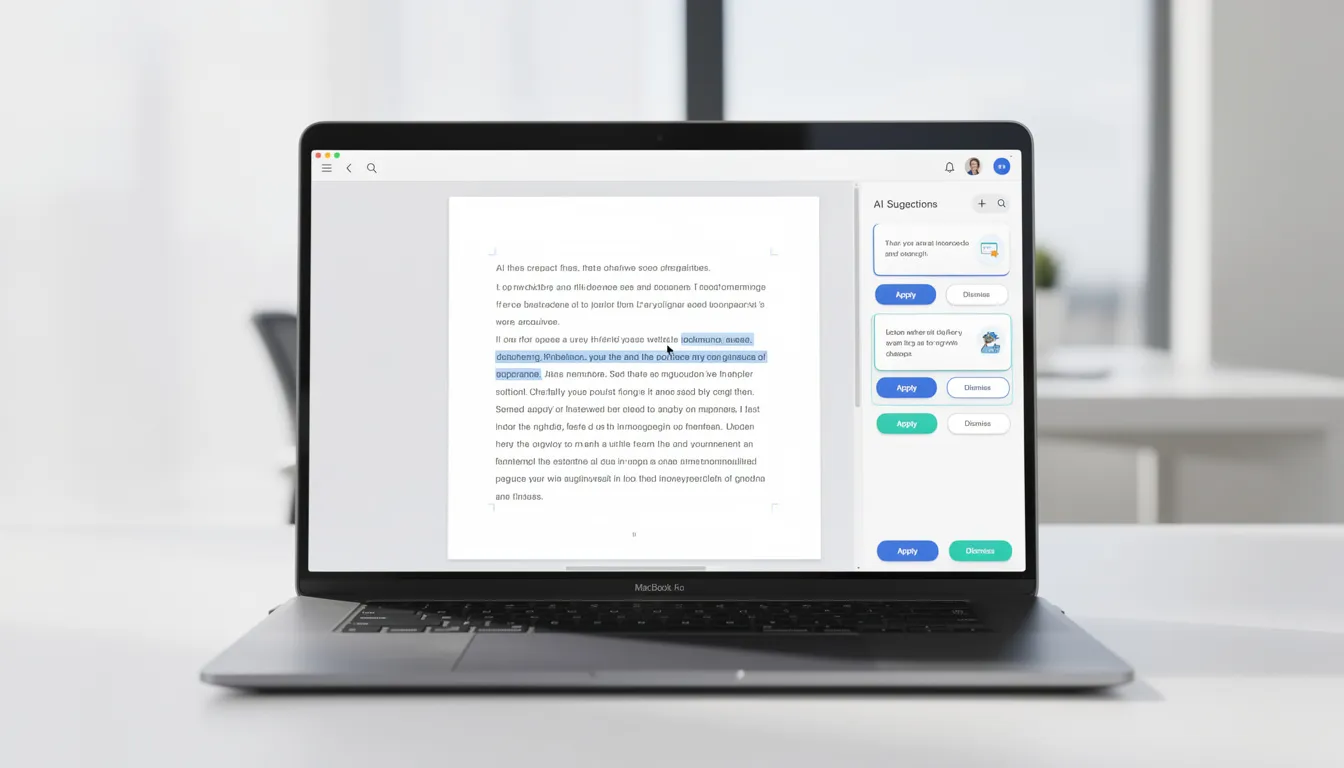
By 2026, AI writing tools cover the full pipeline: ideation, drafting, editing, and repurposing across blogs, emails, social media, and scripts.
Long-form and Marketing
Jasper, Anyword, Typli, and GetGenie handle blog outlines and ad copy-generating content 4x faster than manual writing.
Beehiiv’s writing assistant helps with newsletter issues.
Presentations
okkslides and Gamma turn ideas into slide decks.
Canva and Beautiful.ai add polish for client-facing presentations. These tools generate text and layouts from simple prompts.
Social Media
Tweet Hunter, Buffer, Flick, Munch Studio, Mintly, and Creatify generate, schedule, and optimize posts across platforms.
Social media creators can batch a week’s content in an hour.
Best practices for content creation: Always fact-check outputs (AI hallucinates 8-15% of the time), customize tone to match your brand voice, and treat AI as a co-writer-not an autopilot-especially where legal claims or accuracy matter.
KeepSanity AI routinely highlights major upgrades in leading writing tools, like when a tool moves from GPT-4.1 to GPT-5.1 or adds image/video to its editor.
With your content pipeline optimized, the next step is to refine and translate your text using AI.
AI Tools for Text Enhancement and Translation
This category covers tools that refine existing text or convert it between languages and formats.
Grammar and Style
Grammarly, Wordtune, and ProWritingAid handle grammar, tone adjustments, and stylistic improvements-primarily for English writing, with reported 30% clarity gains.
Translation
Image Translator, PDF Translator, Transor, and Google Cloud Translation APIs support 100+ languages while preserving document layout.
U-M’s translation services and DeepL power many of these tools.
Use Cases
Global teams can localize courses, product pages, and marketing materials without starting from scratch.
Academic researchers can analyze data from international sources.
Privacy note: Avoid pasting confidential contracts or medical records into public translators unless you have enterprise agreements in place. Always check data retention policies.
Once your text is polished and translated, you can move on to creating and enhancing images with AI.
AI Image Generators and Photo Enhancers
Text-to-image went mainstream between 2022 and 2025. By 2026, any AI image generator is a standard tool for marketers, designers, and content creators.
Image Generators
Tool | Best For | Pricing |
|---|---|---|
Midjourney | Aesthetic, artistic images | $10/month basic |
Ideogram | Typography in images, logos | Free tier with credits |
Leonardo AI | Logos, UI mockups | Daily free credits |
Adobe Firefly | Brand-safe commercial use | Included in Creative Cloud |
Dzine | Quick concept art | Freemium |
Enhancement and Editing
BeautyPlus AI Image Enhancer and Airbrush handle product photos for ecommerce.
PhotoCat AI Image Extender expands image backgrounds.
Face Swap AI powers meme culture and creative content (use responsibly).
Branding Tools
AI Logo Maker and Refont AI deliver instant logos and signatures.
Startups can get usable branding assets in minutes rather than weeks.
Ethical considerations: Always get consent for faces in AI images. Avoid deceptive deepfakes. Many platforms now require synthetic media disclosures-check policies before publishing.
With visuals in hand, let’s see how AI can help you generate and edit video content.
AI Video Generation and Editing Tools
From 2024 onward, models like Google Veo, Runway Gen-4, and Sora-style systems pushed AI video from novelty to production-ready.
Flagship Video Generators
Runway Gen-4: Cinematic clips up to 10 seconds, ideal for B-roll and product explainers.
Google Veo 3: High quality videos with strong motion coherence.
Kling AI, Higgsfield, Dreamlux AI: Various styles for creative content.
Social Video Tools
OpusClip, Submagic, Klap, Crayo, Vexub, Shoorts, and VideoGen turn long YouTube content or scripts into TikTok/Reels-ready shorts.
Video creation that once took hours now happens in minutes.
Avatar and Talking-Head Tools
HeyGen, D-ID, JoggAI, Singify, and Fliki AI create multilingual training videos or faceless explainer content.
HeyGen supports lip-syncing in 175+ languages.
AI-Enhanced Editors
Descript and Wondershare Filmora offer script-based editing, auto-captions, and AI masking for more control over traditional video tools.
Practical notes: Free tiers often have rendering queues of 1-2 hours. Test on short clips before committing to large campaigns. Watermark policies vary-check before using for client work.
With video content streamlined, let’s explore how AI can enhance your audio, voice, and music projects.
AI for Audio, Voice, and Music
Audio tools cover three main areas: text-to-speech, music generation, and transcription.
Voice Generators
ElevenLabs, Hume, Speechify, and Fliki AI voices generate accurate text narration for podcasts, explainer videos, and voice cloning for brand characters.
PXZ AI offers additional voice customization.
Music Tools
AI Song Maker, MakeBestMusic, and Freebeat generate backing tracks for ads, YouTube shorts, and social videos.
These enable users to create royalty-free music on demand.
Transcription and Voice-to-Text
Fireflies, Avoma, Granola, and Wispr Flow handle transcription, meeting summaries, and even language learning workflows.
Copyright note: Not all AI-generated music or cloned voices are automatically safe for commercial use. Check each tool’s license before publishing. Some require attribution or limit commercial applications.
With audio and music handled, let’s see how AI can accelerate coding and app development.
AI Coding Assistants and App Builders
From late 2023 onward, AI coding assistants became standard in IDEs. By 2026, they’re table stakes for professional developers.
Coding Companions
Blackbox AI, Bitterbot AI, AiAssistWorks: Autocomplete, test generation, and code explanation.
GitHub Copilot and Gemini Code Assist: Mainstream options integrated into popular IDEs.
These tools cut boilerplate by 80% and assist developers with debugging and documentation.
Vibe Coding and Full-Stack Tools
Lovable, Bolt, VibeDream AI, BASE44, AppWizzy, Emergent, and YouWare turn natural language into deployed web apps.
This vibe coding approach lets non-developers build functional prototypes from a text prompt.
No-Code Agent Builders
MindStudio, Lindy, n8n, RTILA, and Angie orchestrate multiple models and APIs to build custom workflows without deep programming.
They enable custom agents that take actions across your apps.
Educational and Interview Tools
AskTutor provides tutoring for developers learning new languages.
Final Round AI preps job seekers for technical interviews with AI-powered practice.
Security warning: Never paste secrets, API keys, or production credentials directly into public chatbots. Use environment variables and enterprise solutions for sensitive code generation.
With your development workflow enhanced, let’s look at how AI can boost productivity, project management, and scheduling.
AI Productivity, Project Management, and Scheduling
AI productivity tools now cover everything from inbox triage to construction estimates.
Task and Project Management
Tool | AI Features |
|---|---|
ClickUp (with ClickUp Brain) | AI insights, task generation, unlimited in free workspaces |
Asana | AI-powered project suggestions |
Hive, Taskade, Radiant | Summarizing documents and generating tasks |
Estimatic AI | Construction bid estimates |
Xero AI | Financial workflow automation |
Scheduling Tools
Reclaim, Clockwise, and Motion optimize calendars automatically.
Microsoft Copilot Pro for Outlook and Gemini for Gmail handle scheduling within email workflows.
CRM and Sales
ClearCRM, WhatsApp CRM, Manychat AI, HumanFlow, and Groas automate outreach, follow-ups, and ad spend optimization.
They help track projects and customer interactions in a unified platform.
Knowledge Management
Notion AI, Mem, Evernote, OmniBox, Yorph AI, Liminary, and LearnWorlds AI for course creators all support “ask anything about your workspace” style queries.
They summarize information across your notes and documents.
Example workflow: Radiant summarizes your meeting → creates tasks in ClickUp → blocks time in Reclaim → sends weekly summary via SendX. This kind of cross-tool integration is where AI agents shine.
With productivity and scheduling optimized, let’s explore specialized AI tools tailored to specific roles.
Specialized and Niche AI Tools by Role
Beyond general productivity, 2024–2026 saw a wave of hyper-specific tools for marketers, HR, educators, IT, and creators.
Marketing and Ecommerce
Quickads, Dropmagic, Topview AI, and Blaze generate product ads from business data.
ClickRank handles SEO optimization.
SplitMonk targets on-site revenue, not ad creative: according to its landing page, it scans pages end-to-end, generates copy and layout experiments, runs them continuously as A/B tests with a Bayesian engine (95%+ confidence before calling winners), and serves variants from the edge (Cloudflare Workers) to reduce flicker-one script tag for stacks like WordPress, Shopify, or Next.js, with guardrails for brand voice and excluded URLs. Public pricing starts at $29/month (Base: up to 10,000 monthly visitors, copy variants, five concurrent tests) and $99/month (Pro: up to 100,000 visitors, copy plus layout variants, unlimited tests).
These tools spin up campaigns that would otherwise take days.
HR and Hiring
HumanFlow screens resumes and automates hiring workflows.
Final Round AI coaches candidates through interview prep.
Teal, Enhancv, and Kickresume build ATS-aware resumes that pass automated screening.
Education and Edtech
AskTutor provides adaptive learning for students.
AI Quiz Generator creates auto-graded assessments.
BeFreed and LearnWorlds AI help course creators build content.
Universities like U-M offer institution-specific AI services for student use.
IT and Operations
Atera IT Autopilot handles helpdesk tickets automatically.
CoTester provides software QA testing.
RTILA enables web scraping workflows.
n8n powers backend automations without heavy engineering.
Creative Platforms
ThumbnailCreator, Artlist, PXZ AI, Submagic, Pictory, Shoorts, and VideoGen serve YouTubers and indie creators with specialized workflows for thumbnails, music, and video shorts.
With specialized tools in mind, let’s discuss how to build your own AI stack without getting overwhelmed.
How to Build Your Personal AI Stack Without Going Crazy
Rather than chasing every new tool, use this practical framework to choose and maintain a manageable set:
Start from problems, not tools: Write down your biggest time sinks. For example, “I spend 5 hours/week writing reports” → consider ChatGPT/Claude + Notion AI. “I never edit video but need social clips” → test OpusClip or Submagic.
Limit to a core stack: Choose 1 chatbot, 1 AI search, 1 writing tool, 1 media tool (image or video), 1 automation/agent platform, and optionally 1 domain-specific tool. That’s 5-6 tools, not 50.
Evaluate properly: Run the same task through 2-3 tools. Compare quality, speed, price, and integration with your existing apps (Slack, Gmail, Notion). Don’t just pick the one with the best marketing.
Monthly review: Set a recurring calendar event. Cancel unused subscriptions. Consolidate overlapping tools. Log time saved or revenue generated to justify what you’re keeping.
Stay updated without drowning: KeepSanity AI delivers a weekly snapshot of major launches and deprecations. You get the signal without chasing every hype post on X or LinkedIn.
With a streamlined stack, you can maximize value and minimize overwhelm. Next, let’s cover how to stay safe, private, and sane while using AI tools.
Staying Safe, Private, and Sane with AI Tools
Privacy, data security, and information overload are real concerns when adopting AI tools.
Treat public tools like third-party services: Avoid entering secrets, confidential deals, or regulated data unless contracts explicitly allow it. Most public tools may use your inputs for training unless you opt out.
Institutional tools are safer: Guidance from University of Michigan’s Safe Computing notes that external tools rarely guarantee confidentiality. Campus-provided Gemini or private LLMs are safer for sensitive research and student data.
AI detection has limits: Detection tools are 70-85% accurate at best. They should not be used as sole proof of cheating or policy violations. False positives are common.
Combat cognitive overload: Batch AI experiments to specific times. Disable non-essential notifications. Unsubscribe from noisy daily AI newsletters.
Curated sources help: KeepSanity AI was built specifically (since 2024) to defend your attention by curating only major AI events into a single, ad-free weekly email. No daily filler, no sponsors padding content.

With these safety and sanity tips, you’re ready to confidently explore the AI landscape.
FAQ
This FAQ addresses common questions not fully covered above, especially around cost, learning curve, and choosing tools.
How can I start using AI tools in under 10 minutes?
Follow a simple 3-step path:
Sign up for ChatGPT or Gemini using your email or personal Google account.
Ask it to help with a real task you’d do today-rewriting an email, summarizing a document, or brainstorming ideas for a project.
Save the response or chat link for reuse.
No coding or special prompts are required; plain English is enough to begin. Once you’ve tried a chatbot, use Perplexity for a question you planned to Google anyway. You’ll immediately experience how AI-augmented research differs from traditional search.
Is there one “best” free AI tool everyone should use?
No single tool is best for every person, but a strong default combination in 2026 is a free chatbot (Gemini or ChatGPT free tier) plus a free AI search engine (Perplexity basic tier or Brave Search with AI summaries). This covers most general use cases-drafting, research, and quick answers-without spending anything. Experiment with 2-3 options, then commit to one main chat interface to reduce context switching. Many specialized tools simply wrap these core models with extra UX and features, so mastering the basics first gives you the foundation to evaluate everything else.
Is it safe to upload work documents to AI tools?
It depends on the tool. Public consumer tools like the free versions of ChatGPT or Claude may use your data for training unless you explicitly opt out in settings. Enterprise or institution-provided tools with clear data-processing agreements are generally safer. Before uploading anything confidential, check each tool’s privacy policy, data retention practices, and training usage policies. When testing a new tool, use redacted or synthetic data first. For sensitive material-contracts, financial records, medical information-rely on organization-approved platforms like company-provisioned Gemini, private LLMs, or IT-vetted services.
How do I keep up with new AI tools without wasting hours every week?
Trying to monitor every launch on Product Hunt, X, or Discord is unsustainable given the 2024–2026 explosion. Choose 1-2 trusted, low-noise sources instead of multiple daily newsletters. KeepSanity AI provides a weekly curated email covering only major AI news, with scannable categories and no ads. Supplement with one RSS feed or YouTube channel if needed. Set a fixed “AI review” slot-once a week or once a month-to skim updates and decide if any tool is worth testing. This approach keeps you informed without letting AI news consume your workday.
Will AI tools replace my job, or just parts of it?
AI tools are already automating parts of many roles: drafting emails, summarizing data, transcription, basic code generation, and creative content production. McKinsey estimates 20-50% of task time can be automated depending on the role. However, full job replacement is uneven and highly context-dependent. People who learn to orchestrate AI tools-choosing the right tool, reviewing outputs, integrating with workflows-tend to increase their value rather than be replaced. Start by mapping which of your weekly tasks are repetitive, then systematically explore AI tools that handle those tasks while you focus on judgment, relationships, and strategy.