AI Bot App
Introduction
An ai bot app in 2026 is a multi-purpose assistant that combines chat, image generation, voice mode, web search, and automation tools in a single unified interface. This guide is for anyone interested in understanding, choosing, or using AI bot apps for productivity, research, or personal assistance in 2026. AI bot apps are transforming how we work, learn, and communicate by centralizing powerful AI tools in a single interface.
What is an AI bot app?
An AI bot app is a software application powered by artificial intelligence, machine learning, and natural language processing that simulates human-like conversation to automate tasks and provide instant, 24/7 assistance.
Main Benefits and Use Cases of AI Bot Apps
AI bot apps automate tasks, provide instant assistance, and enhance productivity by integrating chat, research, and workflow tools in one place. Popular apps like ChatGPT, Perplexity AI, and Claude are widely used for these purposes. These applications reduce operational costs, increase efficiency, and improve customer experience by delivering faster, more scalable service.
Key Takeaways
An ai bot app in 2026 is a multi-purpose assistant that combines chat, image generation, voice mode, web search, and automation tools in a single unified interface.
The best ai bot apps now let you switch between multiple ai models like GPT-5.1, Claude 3.5, Gemini 3 Pro, DeepSeek, Grok-4, and Qwen-each optimized for different tasks like coding, writing, or research.
Pricing has standardized around free tiers with message caps plus pro plans at roughly $15–$30 per month, while multi-model hubs often stay cheaper by bundling access without proprietary markups.
Practical use cases span deep research, coding assistance, marketing content creation, customer support automation, document chat, and workflow automation via tools like Zapier.
AI bot apps can either add to your daily noise or reduce it-the key is treating them as focused tools rather than endless distractions, aligning with a sanity-first approach to staying informed.
What Is an AI Bot App in 2026?
An ai bot app today functions as a multi-purpose digital assistant that blends chat, web search, image generation, and workflow automation into one place. Think of it as a control center for AI rather than a single-trick chatbot.
The term “ai bot app” now usually refers to an application that aggregates several large language models instead of relying on just one household-name ai assistant. Most modern apps give you access to cutting edge models like GPT-5.1 from OpenAI, Claude 3.5 from Anthropic, Gemini 3 Pro from Google, DeepSeek V3 or R1 variants, Grok-4 from xAI, and Qwen from Alibaba. On the image side, you’ll find models similar to DALL·E or Emu handling generate images requests.
The app layer itself controls the extra features-voice mode for hands-free talk, file uploads with built-in viewers, real time web search for fact-grounding, and integrations with other apps and services. The underlying models handle the actual reasoning, complex reasoning tasks, and content creation.
This ecosystem spans web platforms, native mobile experiences on iOS and Android (with smart ai keyboards and live camera analysis), desktop clients embedded in tools like Microsoft 365’s Copilot, and browser extensions for quick access. API-based tools also enable custom integrations, positioning ai bot apps as central hubs in a world where system-level copilots are rolling out across Windows, macOS, iOS, and Android.
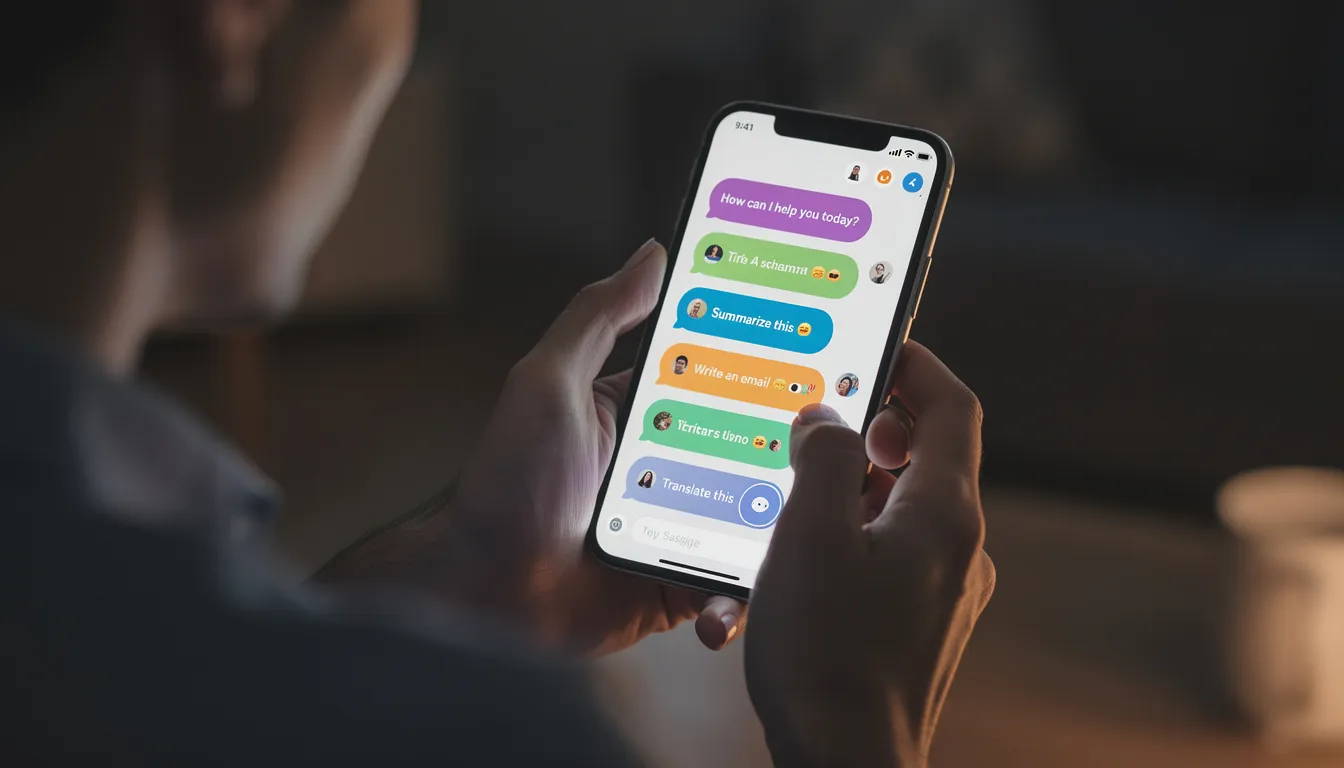
Switch Between Multiple AI Models in One App
Model switching has become a core feature because different ai models excel at different tasks. Claude 3.5 handles long-context legal reviews with low hallucination rates. DeepSeek R1 dominates coding and mathematical reasoning at lower cost. Gemini 3 Pro pulls real-time data and integrates natively with google apps. Grok-4 accesses live X (formerly Twitter) data for breaking news and current events.
Several chatbot app platforms now bundle these advanced models together. You’ll find apps that offer GPT-5.1, Claude 3.5, Gemini 3 Pro, Grok-4, DeepSeek R1, Qwen, and Mistral models all within one interface. This means users don’t need to maintain separate subscriptions or hop between different apps throughout the day.
The UX typically works like this: a dropdown selector or tabbed interface lets you choose your model per chat. Some apps offer side-by-side comparison views where you can juxtapose answers-seeing Claude’s detailed analysis next to Gemini’s web-sourced facts for the same question. More advanced setups include “ask all models at once” modes that aggregate responses for consensus-building.
Cross-checking answers across multiple ai models reduces hallucinations and improves fact-checking. Industry benchmarks suggest this approach can cut error rates by 20–30% compared to relying on a single model. For example, if you’re researching a technical topic, you might query both Gemini and Claude, then compare their answers to validate key facts before using them.
The ability to switch models mid-conversation means you can optimize for each task: use GPT-5.1 for natural language explanations, then switch to DeepSeek for refactoring code in the same session.
Core Features of Modern AI Bot Apps
The years 2024–2026 brought a feature explosion that pushed ai chat far beyond simple text conversations. What started as basic question-and-answer interfaces now includes tools that rival standalone productivity apps.
Long-Context Chat
Modern apps handle 1 million+ tokens, meaning you can upload entire documents or maintain lengthy conversation history without truncation.
Tools and Plugins
Built-in web search
Code execution in sandboxes (similar to ChatGPT’s Canvas)
Structured outputs for JSON, tables, or slide outlines
Speech to Text and Voice Chat
Bidirectional speech interaction with emotional tone adaptation
Useful for hands-free scenarios like driving or walking
Image Generation and Understanding
Create images from prompts
Analyze screenshots
Solve math diagrams
Process visual data on the fly
Basic Video Reasoning
Analyze clips
Extract key moments
Summarize video content
AI Camera Modes
Real-time problem solving by pointing your phone at diagrams, receipts, or physical documents
Role-Specific Personas
Role-specific personas have also matured. A single app might offer pre-tuned modes for:
Coding assistance (often powered by DeepSeek integration)
Marketing help with campaign planning
Study aids that function as interactive tutors
Well-being coaches with emotional intelligence
These personas adapt to context, recall user preferences, and can even initiate proactive conversations based on your patterns.
Voice interaction deserves special attention. The voice mode on modern ai bot apps enables seamless interaction where you speak prompts naturally and receive spoken answers. This transforms your phone into something closer to a personal assistant you can talk to while cooking, commuting, or exercising.

All Your AI Tools in One Place
AI bot apps now function as control centers for models, prompts, and specialized tools-not just chat interfaces.
AI Store and Mini-Bots
Many platforms include an “AI store” or marketplace where users can browse mini-bots categorized by function:
Writing: SEO tools, blog post generators, grammar checkers
Coding: Debuggers, refactoring assistants, unit test writers
Research: Deep research bots, citation generators, paper summarizers
Design: Image editors, asset generators, style transfer tools
Productivity: Meeting summarizers, email drafters, calendar assistants
Customer Support: CRM agents, ticket responders, FAQ builders
Advanced apps let you install or favorite these mini-bots on top of base models. Think of it like adding apps to your phone-a resume builder, legal clause checker, or help center draft writer can be activated with one click.
Bundled utilities have become standard:
Email generators
Grammar checkers
Translators
Résumé builders
Zapier Agents for background automation
These tools work across your tech stack via plain-English instructions, handling tasks like ticket updates, email drafting, or data entry without requiring coding knowledge.
Marketer Workflow Example
A marketer’s workflow might look like this:
Upload brand assets and guidelines to the app.
Generate personalized campaign copy with A/B variants.
Switch to Gemini for ad visuals and image assets.
Export everything to your marketing platform-all within one thread.
Student Workflow Example
A student’s workflow might look like this:
Upload a textbook PDF.
Chat with the document to get chapter summaries and practice quizzes.
Use voice mode during the commute for hands-free review.
Generate study flashcards before exams.
The goal is consolidation. Instead of jumping between five different ai tools, you explore everything from a single interface that remembers your preferences and maintains your data across sessions.
Cross-Platform Access and Sync
Modern ai bot apps follow you across devices. Desktop web apps, native iOS and Android experiences, and browser extensions all sync together to maintain continuity.
Users expect seamless syncing of chat history, custom instructions, favorite bots, and uploaded files. Start a research thread on your desktop during work hours. Continue the conversation on your phone while commuting. Share results via exportable links or integrated workflows with other apps.
Typical usage patterns include:
Morning: Deep work session on desktop with document analysis
Afternoon: Quick mobile queries while in meetings
Evening: Voice chat review of the day’s research
Anytime: Browser extension for quick lookups without switching apps
Privacy-aware sync options have matured alongside these features. Most apps offer local history toggles that keep sensitive chats off cloud servers, private browser modes for confidential work, and selective deletion of specific conversations. For non-enterprise users concerned about data privacy, these controls provide meaningful protection.
Cross-platform continuity only works if the app respects both convenience and privacy. Look for apps that let you choose what syncs and what stays local.
Chat with Documents, Websites, and Company Data
One of the most valuable evolutions since 2023 is document and data chat inside ai bot apps. This feature transforms static files into interactive knowledge sources.
How Document Chat Works
Upload a PDF, Word document, Google Doc, PowerPoint, or spreadsheet.
Ask questions about the content.
Request summaries of specific sections.
Generate action items from meeting notes.
The ai processes the file and provides answers grounded in the actual text.
Advanced Document Features
Support for 10+ formats and large files
Built-in viewers that highlight cited passages inline
Verification of where the ai found its answers
Enterprise and Team Integrations
For teams and enterprises, the capabilities extend to internal knowledge bases. Apps connect to Notion, Confluence, google drive, SharePoint, Slack, and company wikis via secure connectors. Vector databases power the retrieval, ensuring precise answers even across thousands of documents.
Access control matters here. Enterprise-grade apps respect existing permissions-if someone can’t access a file in SharePoint, they can’t query it through the ai either. Options include limiting model training on internal data and offering on-prem or private cloud deployments for organizations with strict compliance requirements.
This capability makes ai bot apps particularly useful for:
Researchers synthesizing multiple papers
Legal teams reviewing contracts
Sales reps preparing for client calls
Support teams finding answers in documentation
AI Bot Apps for Specific Use Cases
The best ai chatbot for your needs depends entirely on what you’re trying to accomplish. Writing, coding, research, marketing, sales, support, and personal use all benefit from different model strengths.
For developers, pairing DeepSeek and Claude creates a powerful coding workflow:
DeepSeek handles refactoring, debugging, and mathematical reasoning.
Claude provides clear explanations, documentation, and unit test generation.
Many apps offer code execution sandboxes where you can run and test code directly within the chat.
For marketers, GPT-5.1 and Gemini make a strong combination:
GPT-5.1 excels at creative writing and campaign copy.
Gemini pulls real-time market data and integrates with Google Workspace for assets.
Apps with Jasper IQ-style features can ingest brand guidelines and autonomously plan campaigns with SEO-optimized content.
For founders and researchers, Perplexity-style search combined with Claude or GPT provides deep research capabilities:
Query databases
Summarize papers
Generate citations
Produce market analysis with real time access to current data
Niche use cases have their own specialized solutions:
Students: Study helpers that create quizzes, explain concepts, and adapt to learning pace
Mental health support: Companion-style bots with long-term memory and emotional intelligence
Customer support: CRM-integrated agents that automate 70–90% of routine queries like password resets, order tracking, and refunds
Sales teams: Agents that qualify leads, recommend products, and schedule demos
Case studies from platforms like Crescendo.ai show agent assist features reducing response times by automatically pulling CRM data and drafting replies. Support teams using these tools can handle significantly higher volumes without proportional headcount increases.
Pricing, Plans, and How to Choose
Pricing for ai bot apps has standardized around a predictable structure: robust free tiers for casual users plus paid plans at approximately $15–$30 per month for power users.
Free Plans Typically Include
Limited messages per day (often 50–100 on lighter model versions)
Basic chat history that may expire after a period
Capped access to image generation and advanced features
Occasional ads or promotional content
Pro Plans at ~$20/month Unlock
Unlimited access to top models like GPT-5.1 and Claude 3.5
Priority responses with faster processing
Team collaboration features
Extended conversation history
No ads
Multi-model hubs often undercut single-provider costs by bundling models without proprietary markups. A hub offering five models might cost $20/month total, while subscribing to each provider separately could run $100+ monthly.
How to Evaluate and Choose
When evaluating apps, consider these factors:
Model breadth: Prioritize apps offering 5+ model options for flexibility
Privacy policies: Look for clear data retention rules and training opt-outs
Integration support: Zapier, Slack, Google Workspace, and microsoft ecosystem connections
Web search quality: Test how well the app grounds answers in current web data
Absence of ads: Free tiers with aggressive ads may not be worth the tradeoff
The best approach is testing multiple apps for a week. Compare how ChatGPT, Claude, Gemini, Copilot, and specialized hubs perform on your actual workflows before committing to a paid plan.
How AI Bot Apps Fit into a Sanity-First Workflow
Using ai everywhere can create as much noise as it eliminates. The same tools that promise to save hours can fragment your attention if you’re constantly switching between models, chasing new features, or responding to ai-generated suggestions all day.
This mirrors how daily ai newsletters operate. They send emails every day-not because there’s major news daily, but because frequency keeps readers engaged for sponsors. The result is piled inboxes, rising FOMO, and endless catch-up that burns focus rather than building it.
A sanity-first approach to ai bot apps looks different:
Create reusable prompt templates for your most common tasks. A research template. A code review template. An email drafting template. Store these in your app and reuse them rather than crafting prompts from scratch each time.
Set clear boundaries. Batch your ai queries once or twice a day rather than interrupting deep work for every question. Turn off notifications. Treat the ai as a tool you visit intentionally, not a friend constantly pinging you.
Organize critical chats. Use folders, tags, or pinned conversations to keep important threads accessible. Delete or archive conversations that no longer matter. A cluttered ai history creates the same cognitive load as a cluttered inbox.
Pair your ai tools with curated information sources. Instead of chasing every model update and new app announcement, subscribe to a weekly summary like KeepSanity.ai that scans major developments across business, models, tools, and research. You get the signal without the noise.
The goal isn’t to use less ai-it’s to use ai in ways that preserve your attention and mental bandwidth. The apps are powerful. The question is whether you’ll let them serve you or distract you.

What’s Next for AI Bot Apps (2026 and Beyond)
Several trends are shaping where ai bot apps go from here.
Larger context windows: Models are pushing toward 2 million+ tokens, enabling even more comprehensive document analysis and longer conversational memory.
Autonomous agents: Multi-agent systems can now handle end-to-end processes-collecting leads, qualifying questions, recommending products, scheduling demos-with minimal human supervision. These agents can monitor dashboards, draft campaigns, update CRMs, and execute workflows in the background.
Deeper OS integrations: Windows, macOS, iOS, and Android are all shipping system-level copilots. These won’t replace standalone ai bot apps but will create new expectations for what built-in assistance looks like.
On-device models: Privacy-focused users will increasingly demand local-first assistants that don’t send data to the cloud. Lightweight models like Mistral variants are optimized for this use case.
Enterprise compliance: Larger organizations need audit trails, regional data hosting, and integration with existing security infrastructure. AI bot apps are responding with enterprise tiers that address these requirements.
Regulatory and ethical questions remain open. Data use policies, safety filters, and copyright (especially under tightening EU regulations around training data) will shape what models can do and how apps can deploy them. Different regions are taking different approaches, and users should expect ongoing changes.
The practical takeaway: Pick 1–2 ai bot apps that match your actual workflows. Build a few high-leverage templates. Rely on curated updates-like KeepSanity’s weekly email-to decide when new features or tools are worth adopting. The ecosystem will keep evolving, but the fundamentals of using ai effectively won’t change as quickly as the hype cycle suggests.
FAQ
What is the difference between an AI bot app and a traditional chatbot?
Traditional chatbots were usually scripted or rule-based, relying on decision trees and keyword matching to handle FAQs and simple flows. They could only answer questions they were explicitly programmed to handle.
Modern ai bot apps rely on large language models that can generalize and respond to open-ended questions they’ve never seen before. They support multiple ai models, multimodal inputs (text, voice, images), and integrations with other apps. This makes them closer to general assistants that can adapt to almost any task rather than single-purpose bots locked into narrow use cases.
Which AI bot app is best if I only want a free option?
As of late 2025 and early 2026, google gemini’s free tier, ChatGPT’s free plan, and several multi-model hubs offer strong no-cost experiences with voice chat and web search capabilities.
Compare limitations carefully: message caps per day, which model versions you can access (GPT-5.1 full versus lighter versions), image quotas, and whether there are intrusive ads or data tradeoffs. The best ai option for free users is often the one that matches their specific use case rather than the one with the most features.
Is it safe to upload sensitive documents to an AI bot app?
Safety depends on the specific app’s policies. Some clearly state they do not train on user data and offer enterprise-grade encryption. Others are more opaque about how they handle uploads.
Before uploading sensitive information, check data retention policies, training opt-out options, regional data hosting (important for GDPR compliance), and whether the provider offers business or on-premise plans. For highly sensitive documents, enterprise-tier plans with explicit privacy guarantees are worth the additional cost.
Can AI bot apps replace human employees?
AI bot apps currently excel at augmenting work rather than fully replacing complex human roles. They automate drafting, summarizing, routine analysis, and repetitive tasks-but they still require human judgment for goal-setting, quality review, and nuanced decisions.
Teams get the most value by pairing human oversight with ai assistance. Humans decide objectives and review outputs. AI handles first drafts, data processing, and repetitive queries. Statistics suggest chatbots can automate 70–90% of routine support tasks, but the remaining 10–30% still benefits from human involvement.
How can I stay updated on new AI models and AI bot app features without getting overwhelmed?
Subscribe to a low-noise, curated ai newsletter like KeepSanity.ai that summarizes only major weekly developments instead of daily hype. One email per week covering business updates, model releases, tools, and resources keeps you informed without creating inbox overload.
Revisit your ai stack once every month or quarter-guided by trusted summaries-rather than chasing every small update or new app announcement. The tools that matter will still matter in a few weeks. The ones that don’t will fade from the news cycle before you ever need to pay attention.